Sell extra sessions on top of a booking
A child wants to come to an extra class this week — not to make up a missed one, just an additional session. Until now the only way to allow that was a make-up credit, which is a free entitlement and the wrong tool for something you want to charge for.
Additional sessions let a client book beyond what their booking covers, and let you charge for it.
Why you would turn this on
A term has 6 or 12 sessions and a parent is happy with that. Then a week comes along where they would like one more — the child is enjoying it, there is a gap in the week, a friend is going. What they do not want is to enrol a second time and commit to another whole term for the same child.
Today those parents have nowhere to go. Enrolling twice is far more than they asked for, and a make-up credit is free, so giving one away costs you the seat and earns nothing.
Additional sessions are the middle step: one or two extra sessions, paid for, inside the term they are already in.
The commercial case is that it sells the capacity you already have:
- The seats exist. A class of ten running with seven is three empty places every week. An extra session fills one of them at full price without you scheduling anything new.
- The parent is already sold. They know the class, the instructor and the venue. There is nothing to convince them of — the only reason they are not coming more often is that there was no way to.
- It is small enough to say yes to. One session at the usual price is a decision a parent makes on the spot. A second enrolment is a decision they postpone.
- It reads as generous, not as a sale. Mechanically this behaves like a make-up they can request whenever they like. The difference is that it is paid, so it does not eat into your free-credit budget.
Where it earns most is classes that are running under capacity and programmes where attendance is enthusiastic — anything where the answer to "can we come again on Thursday?" is currently no.
This is not the same as a make-up session. A make-up replaces something the client already paid for and missed. An additional session is extra attendance they are buying. See Make-up sessions FAQ.
Turning it on
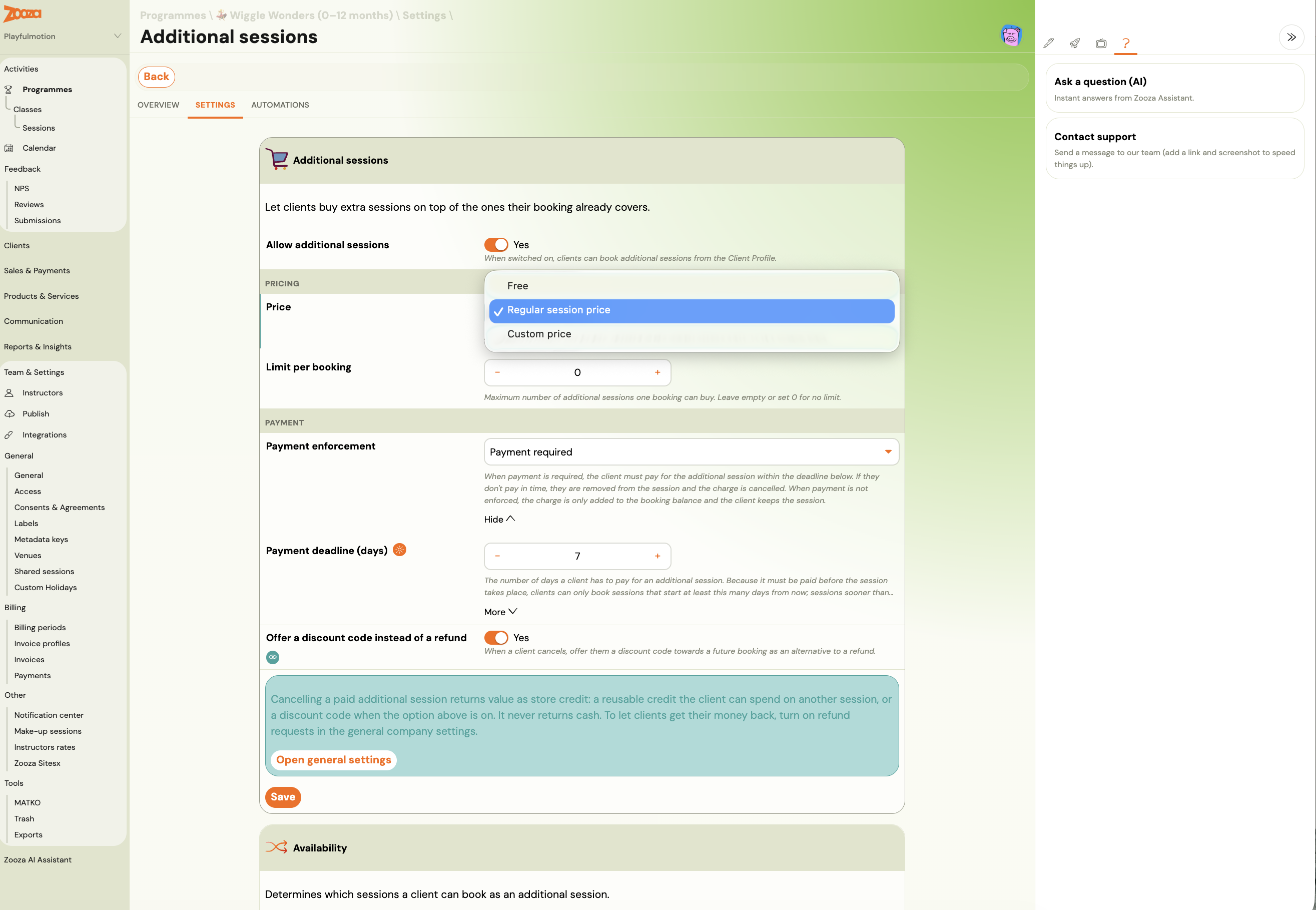
Go to Programmes → the programme → Settings → Additional sessions and switch on Allow additional sessions. Clients then book them from their Client Profile.
Price
Choose one of three:
| Option | What it means |
|---|---|
| Free | No charge. Useful when you want to allow extra attendance without selling it. |
| Regular session price | The same per-session price the programme already uses. |
| Custom price | A Price per session you set specifically for extras. |
Limit per booking
The maximum number of additional sessions one booking may buy. Leave it empty or set 0 for no limit.
Payment enforcement
This is the setting that decides what happens if the client does not pay, and the two options behave very differently.
Payment required — the client must pay within the deadline. If they do not, they are removed from the session and the charge is cancelled. Use this when the seat is scarce and an unpaid booking would block someone else.
Payment not enforced — the charge is added to the booking balance and the client keeps the session regardless. Use this when you would rather they attend and settle up with everything else.
Payment deadline, and the side effect worth knowing
Payment deadline (days) is how long a client has to pay. Because an additional session has to be paid for before it happens, this number also decides how soon a client can book.
Set the deadline to 5 days and a client cannot book a session starting in 3 days — it simply is not offered. A long deadline protects your cash flow but closes off last-minute bookings, which is often the very thing people want an extra session for. Keep it short unless you have a reason not to.
Availability
The Availability settings decide which sessions a client may book as an additional session.
What the client sees
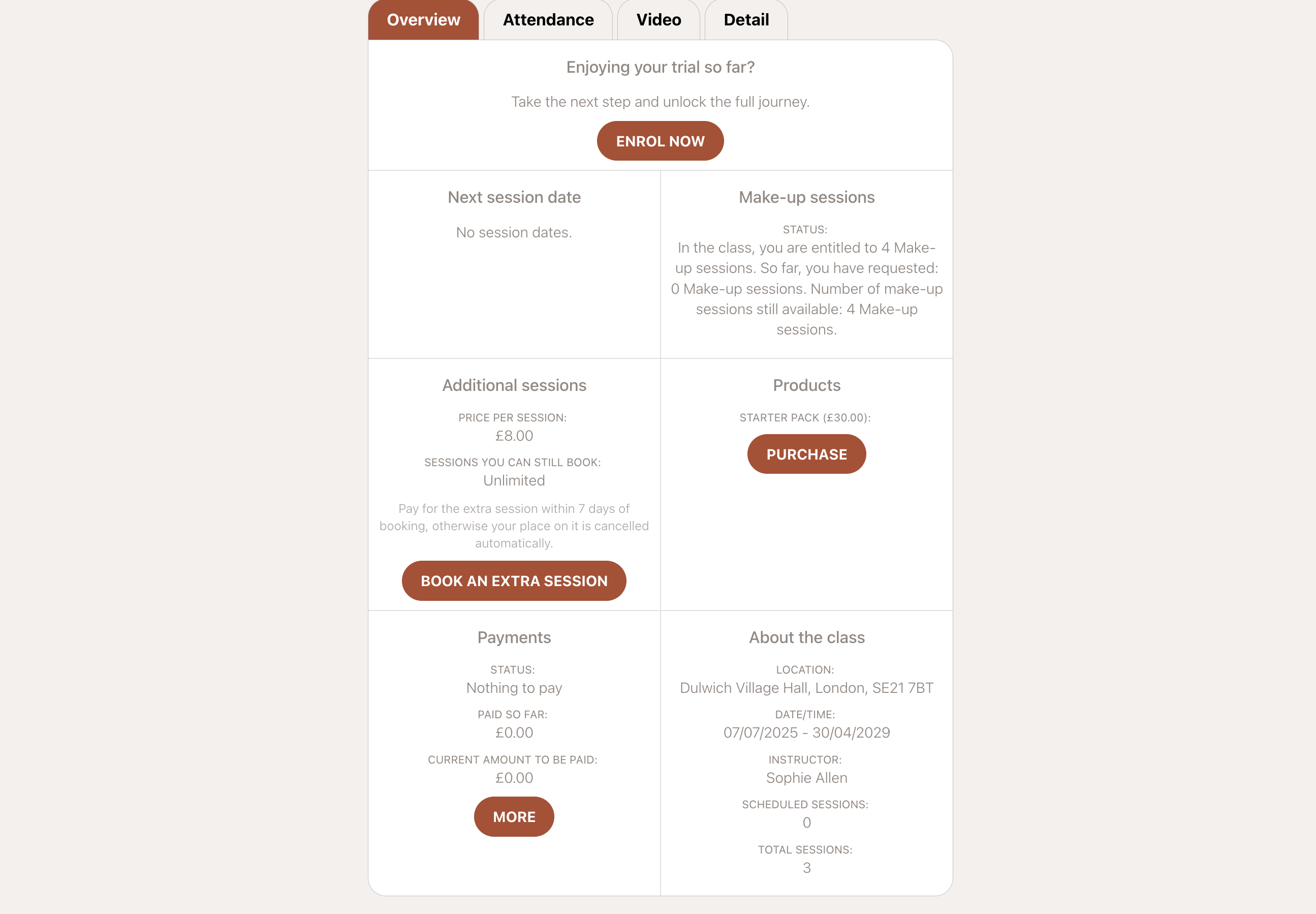
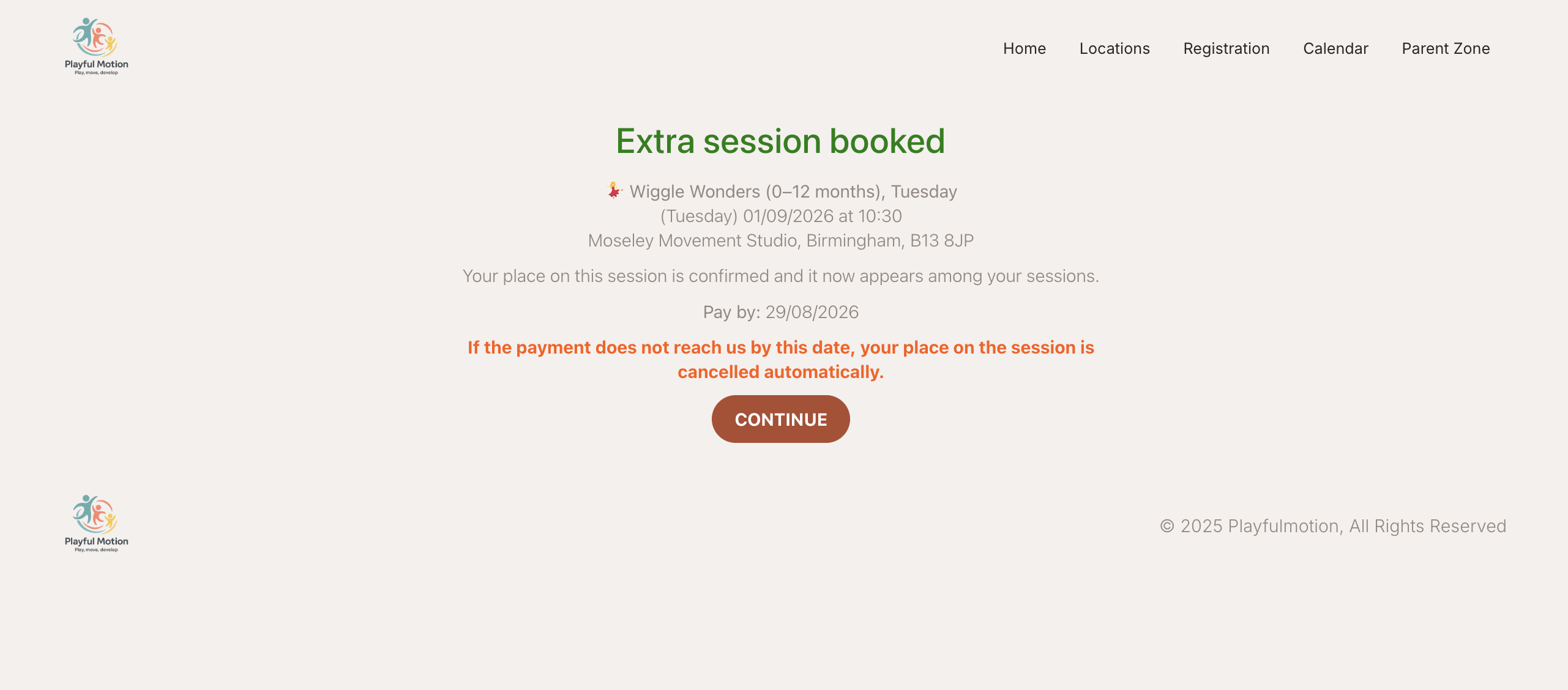
In their profile, an Additional sessions card shows the price per session and how many they can still book — a number, or Unlimited. If payment is enforced, the card states the deadline in plain words: pay within N days of booking, otherwise your place is cancelled automatically.
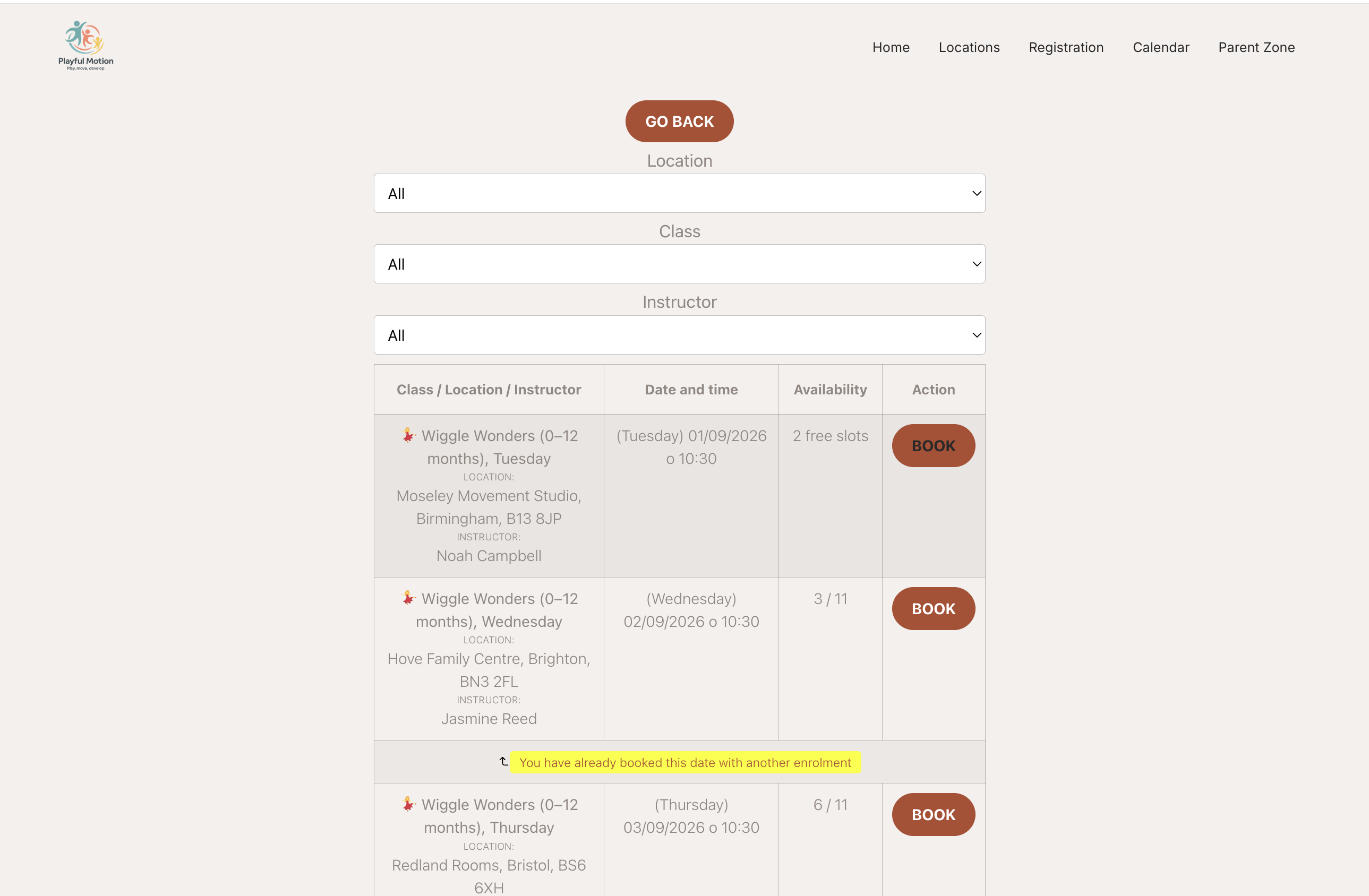
They pick a session from a list showing the class, venue, instructor and time, and confirm.
The place is confirmed straight away, before payment. The confirmation says so, and gives a Pay by date. That is the point of the deadline setting — the seat is held, but only until that date.
Cancelling one they already booked
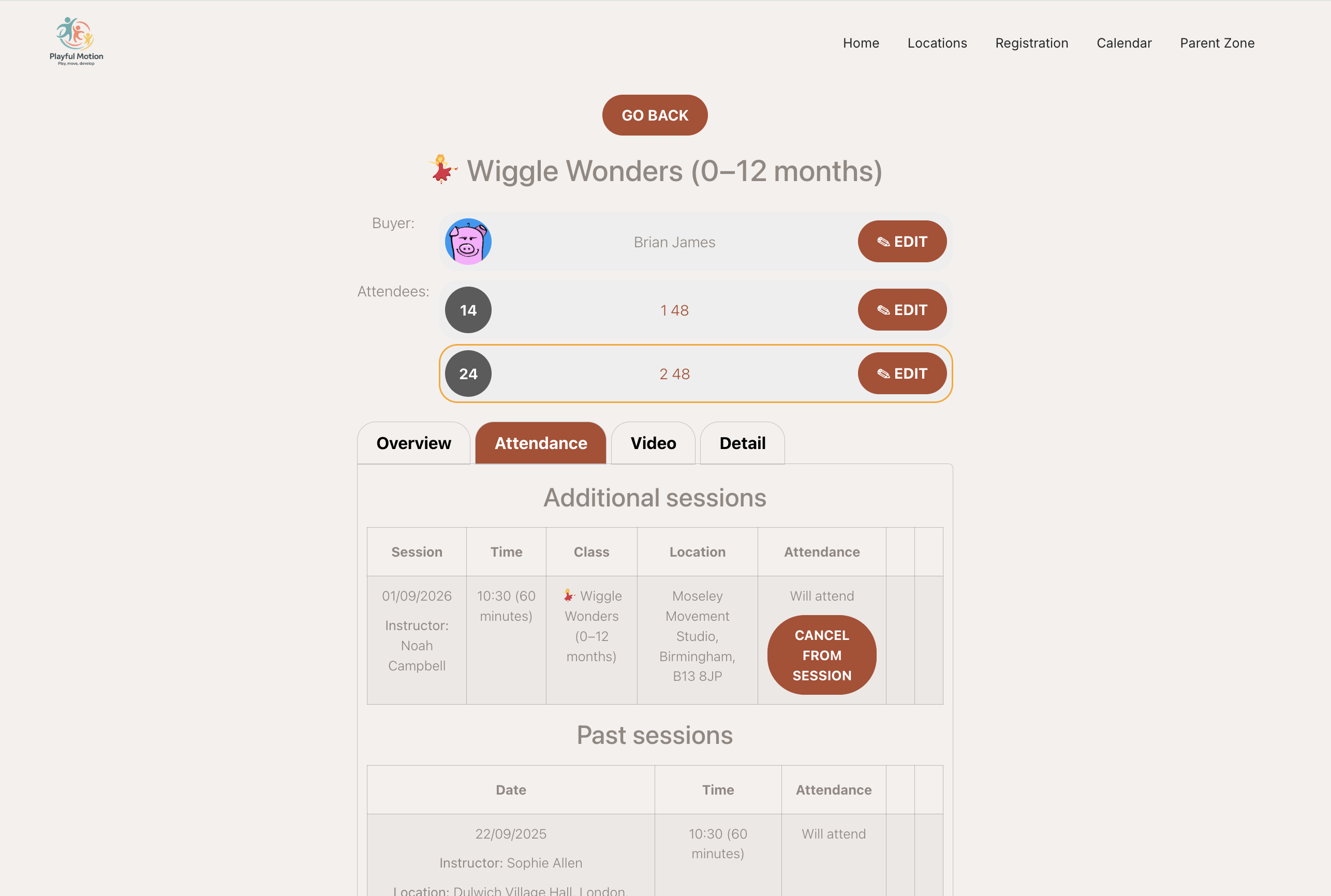
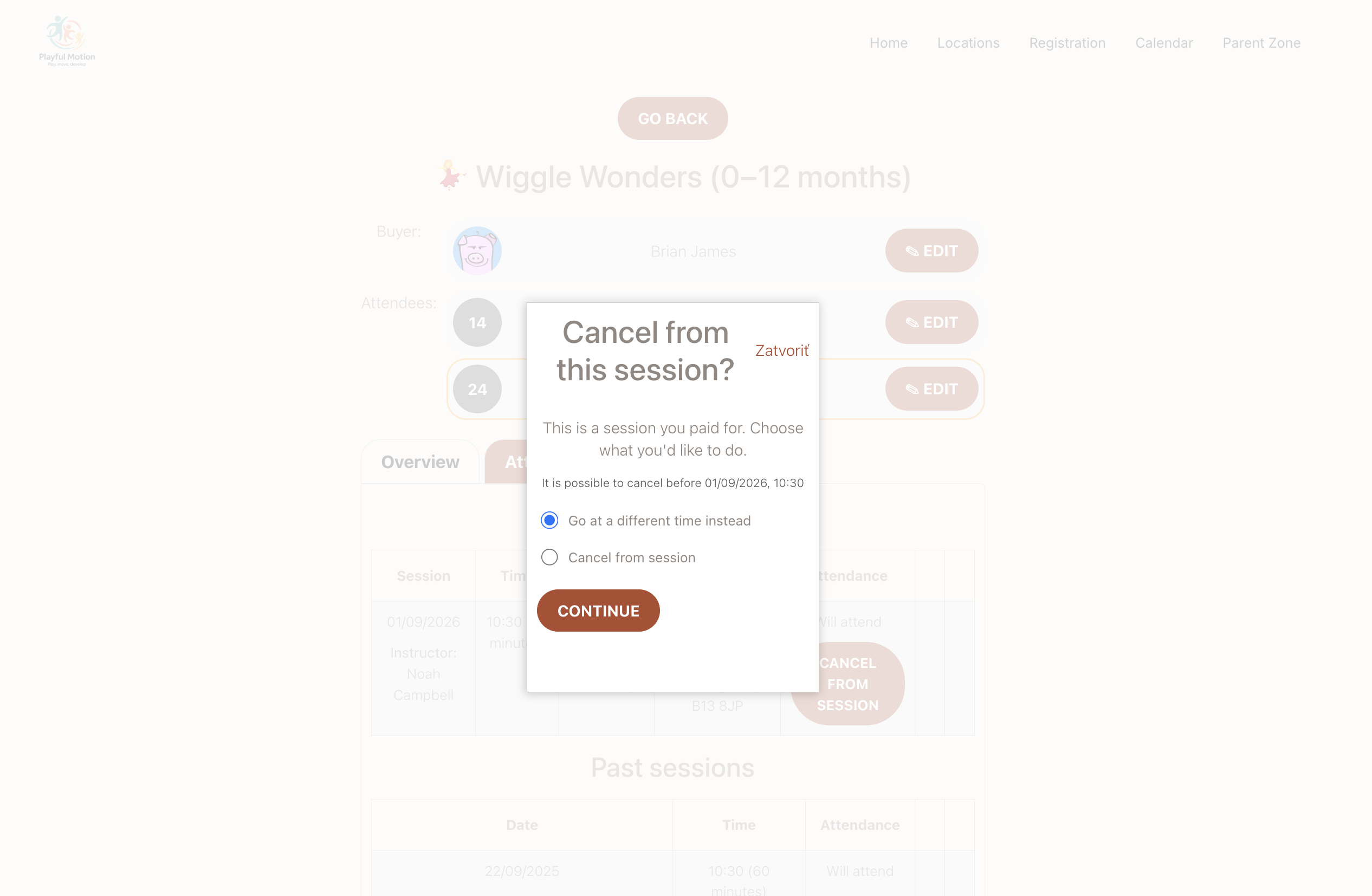
A client can cancel an extra session themselves, up to a cut-off before it starts. They are told it is a session they paid for and offered two things:
- Go at a different time instead — move to another session rather than lose it.
- Cancel from session — give it up.
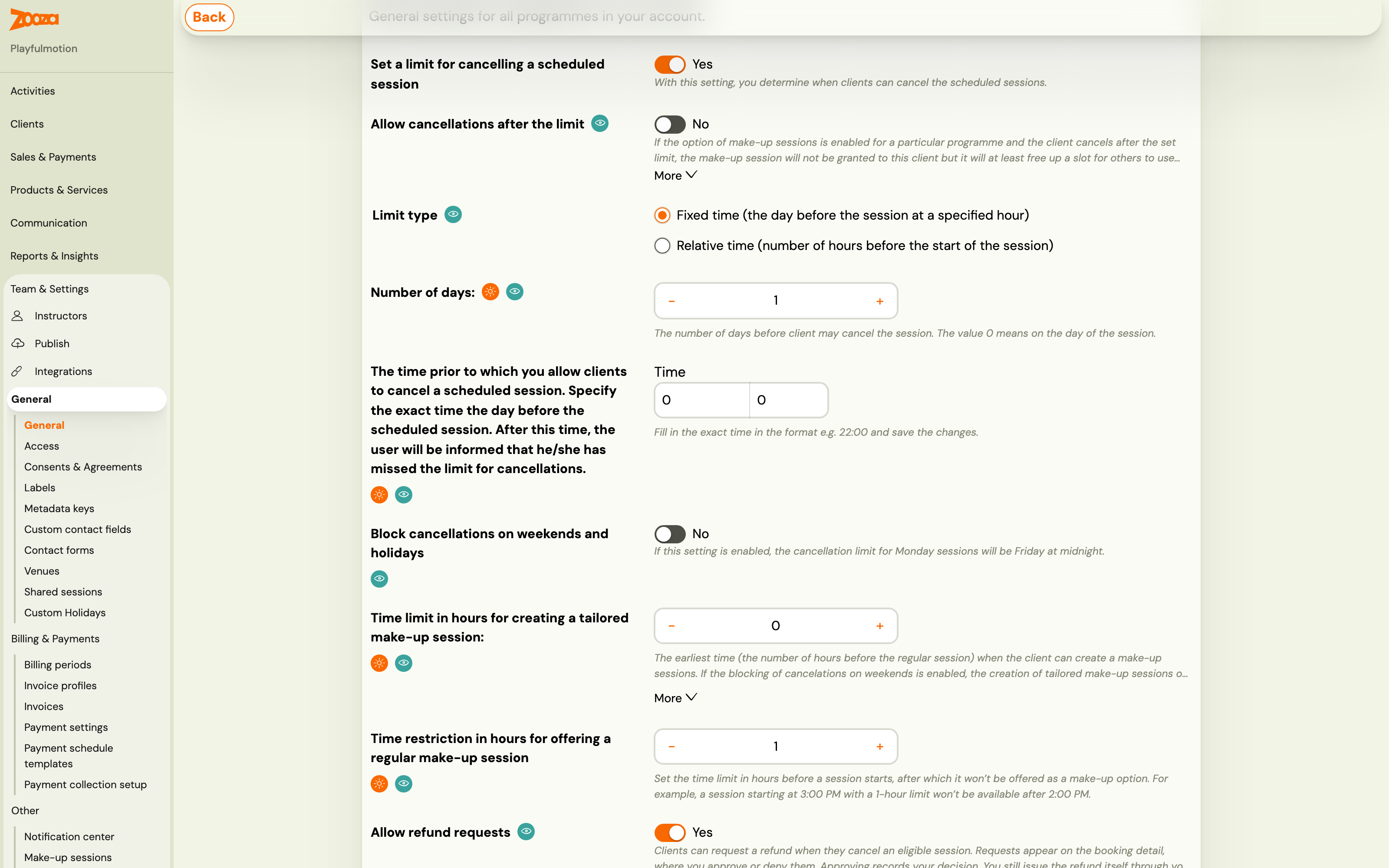
The cut-off comes from Set a limit for cancelling a scheduled session in the general settings for all programmes.
Refunds are a request, not an automatic payout
There is a separate switch in the general settings — Allow refund requests. With it on, a client who cancels can ask for their money back and you approve or deny it.
Approving records your decision. It does not move any money. You still issue the refund through your payment provider yourself.
That is worth telling your team plainly: an approved refund request is a decision on record, not a transaction. Nobody is paid until someone actually refunds them.
How the money is tracked
Additional session charges sit apart from the booking's own payments. They do not change the payment status of the booking — a client who owes for an extra session is not marked unpaid on their registration.
You see them as Additional sessions charge and Additional sessions balance.
Two consequences:
- Cancelling an unpaid additional session clears the charge automatically and records an Additional session payment correction entry.
- Refunds for paid additional sessions are manual. Cancelling one that has already been paid does not return the money — see Refunds are a request above, and Administrative refund.
The two emails
Both live under Communication → Templates:
| Template | When |
|---|---|
| Additional session - payment | After they book. Carries the payment instructions, or a confirmation when the session is free. |
| Additional session - cancellation | Automatically, when an unpaid additional session is cancelled and they are unenrolled. |
The payment template can use *|ADDITIONAL_SESSION_DUE_DATE|* for the date they have to pay by, with a conditional wrapper so the sentence only appears when there is a due date. See Dynamic tags.
On the calendar, a session booked this way is labelled Additional session.
Troubleshooting
A client cannot book a session that is only a few days away. That is the payment deadline. They can only book sessions starting at least that many days from now. Shorten the deadline if you want last-minute bookings.
A client attended but the booking still shows as paid. Correct — additional session charges are tracked separately and do not affect the registration's payment status. Look at the additional sessions balance.
A client cancelled and expects their money back. Cancelling does not refund anything. If refund requests are switched on they can ask, you approve, and that approval is only a record — someone still has to issue the refund through the payment provider.
A client was removed from a session they booked. They did not pay inside the deadline and Payment required is on. The cancellation email tells them; if you would rather they kept the seat, switch to Payment not enforced.