Lead collection
A lead collection class is a class without sessions. Use it to collect interest from clients before you have a schedule ready. For example, you want to launch a new programme but only if enough people are interested.
Not the same as the contact form. A lead collection class creates a booking inside an existing programme. If you want to collect interest before any programme or class exists, or from a paid campaign, use the contact form (lead capture) instead: it creates a contact, which you convert into a client when they are ready.
You set up lead collection at the class level by selecting the Lead collection option.
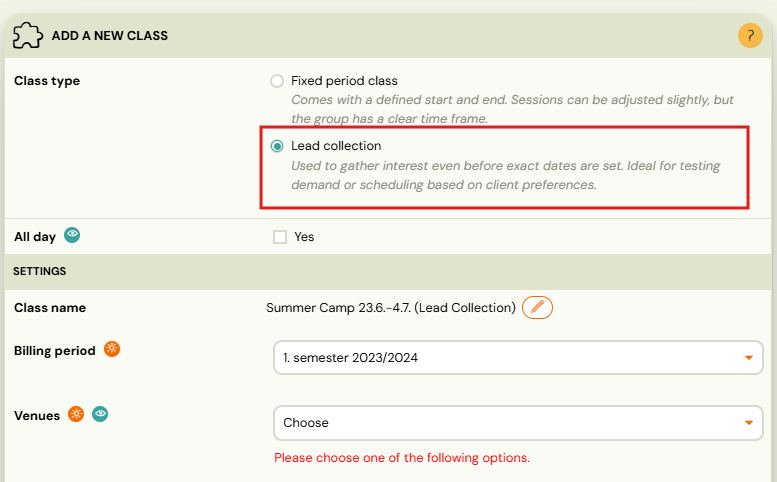
The class will also appear in the booking form with the option to enrol. Once you have enough applicants, define the sessions and the lead collection class automatically becomes a regular class. Your clients will see all the information in their profiles.
This change also works retroactively — if you delete all sessions from a class, it automatically changes back to a lead collection class.
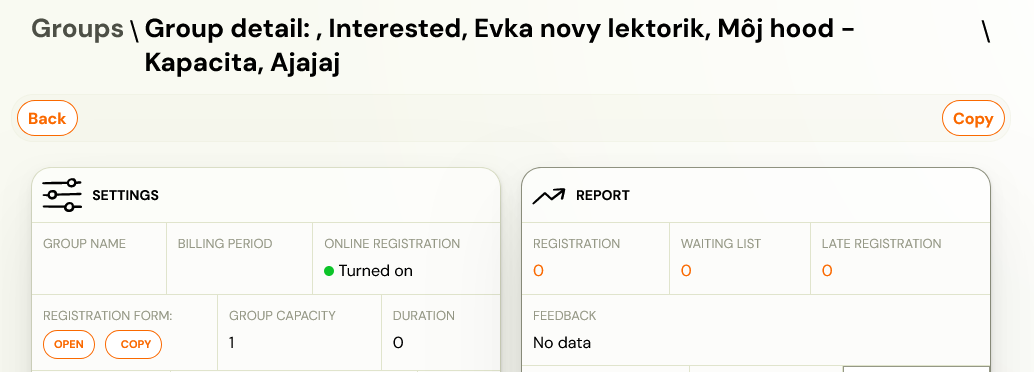
You can see whether it is a lead collection class or a class with sessions based on the name of the class.
What the client sees
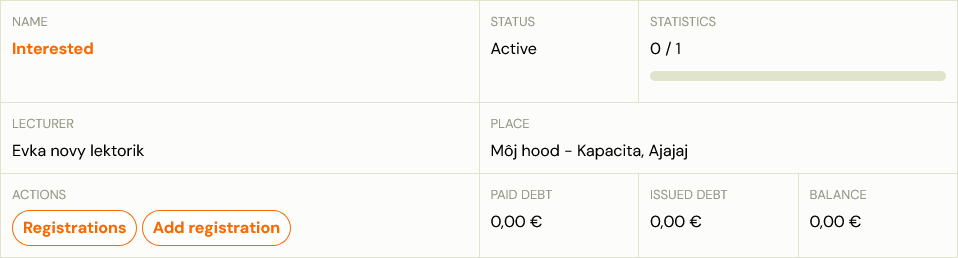
When a client enrols in a lead collection class through the booking form or widget, they are registered with a pending status and receive a confirmation email. No sessions or schedule are shown — the client knows they are on the interest list, not a fixed schedule.
Once you add sessions to the class and it becomes a regular class, clients automatically see their sessions in their profile.
Trials: Trials require sessions to be scheduled. A lead collection class cannot accept trial bookings.
No price, and no payment
A lead collection class has no sessions and no billing period, so the programme price is not shown and no payment is requested. The client sees only the registration form, any registration fee you have configured, and the confirmation that they are on the list.
There is no setting that reveals the programme price at this stage. If you want people to know what it will cost before the schedule is confirmed, write it into the programme description — a note along the lines of "€300 for the term, payable once the venue and start date are confirmed" is what most people do, and it sets expectations without promising a date.
The client should not see a Pay button. Payment details are released only after you add the sessions and the class becomes a regular class. If a client reports a Pay button on a lead collection registration, that is a fault worth reporting rather than something to configure around.
The consequence for pre-filling a class: if you add interested parents to a regular class to save time, the invoice is generated at that moment and they will be asked to pay. Keep them in lead collection until you are ready to charge.
Confirmation email template
The email sent to clients after joining a lead collection class is a separate template from the standard booking confirmation.
Go to Communication → Templates and look for the Lead collection or Interested template. Customise the subject and body there — for example, to set expectations about when the schedule will be announced.
Using lead collection for seasonal closures
Lead collection is useful when you want to accept interest before your schedule is ready — for example, pausing over summer and relaunching in September.
Recommended approach:
- At the end of the season, set each class to Lead collection (remove all sessions, or toggle the Lead collection option).
- Leave online registration active — clients who find your booking form can still register their interest.
- When the new season is ready, add sessions. The class becomes a regular class automatically.
- Clients who registered their interest can be moved to the regular class (or offered a booking via auto-enrolment).
Does switching to lead collection prevent bookings? No. Clients can still enrol and will appear in your bookings list. Only trial bookings are blocked (because trials require sessions).