Subscription and Billing FAQ
Where do I find my Zooza subscription invoice?
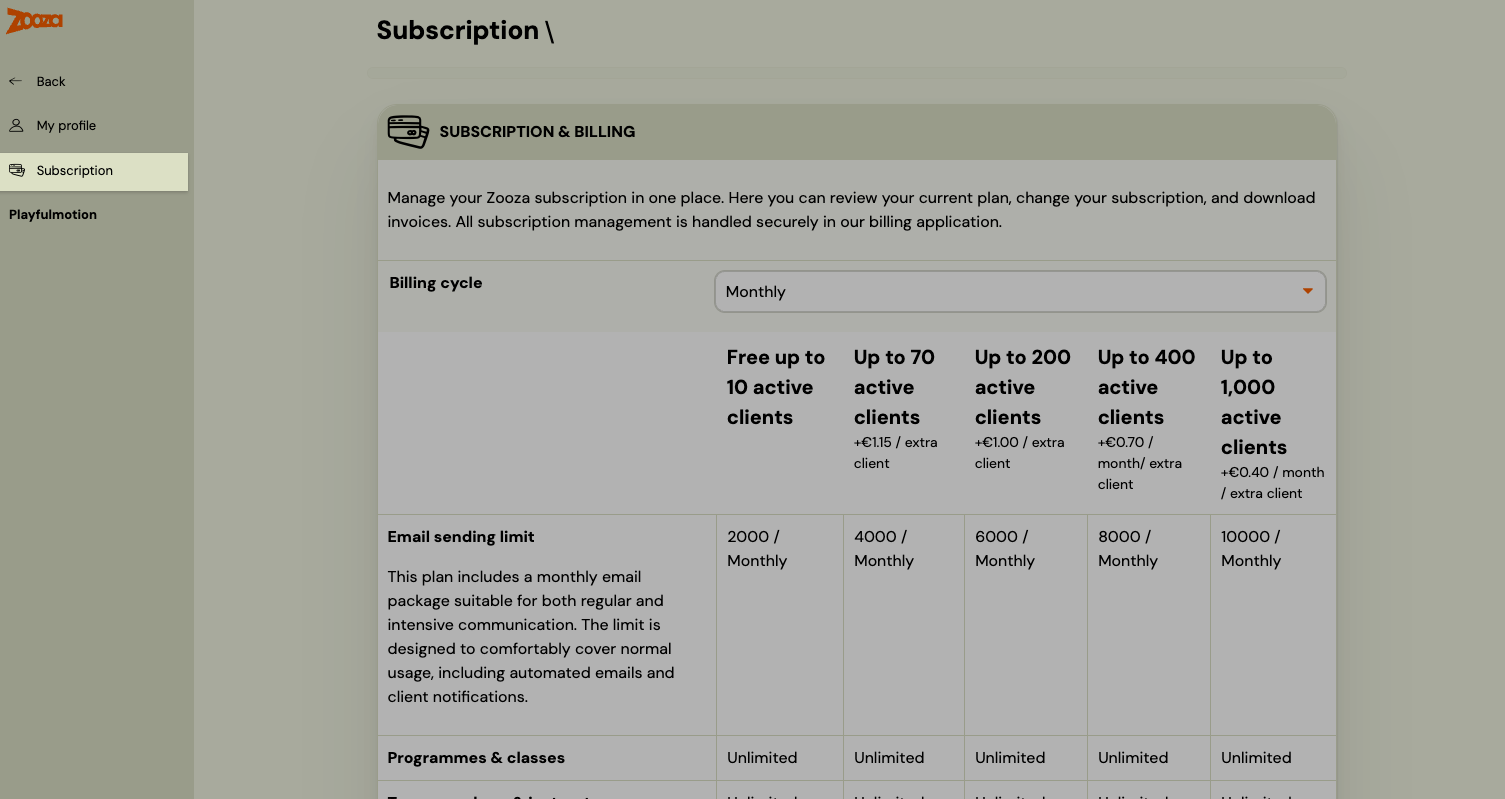
- Click your name/profile in the Zooza app — top right on mobile, bottom left on desktop.
- Go to Subscription.
- Scroll past the plan tiles to the bottom of the page and click Manage subscription.
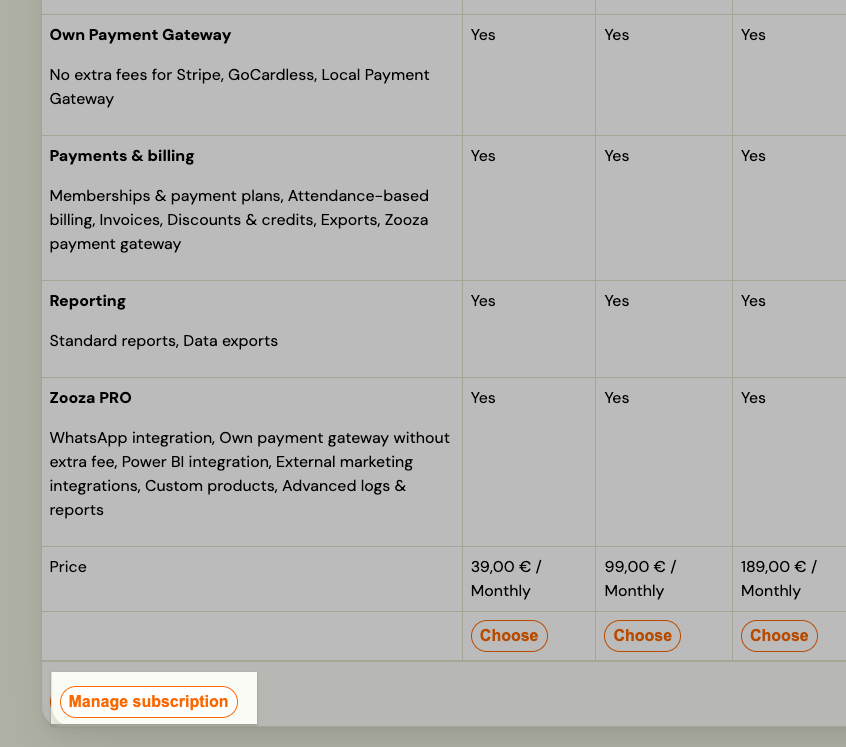
This is the step people miss. The Subscription page shows your plans and nothing else, so it looks as though invoices are not held in Zooza at all. The button sits underneath the plans — keep scrolling.
This opens the external billing portal where you can:
- Download past invoices
- Update your billing details (company name, address, VAT number)
- Update your payment method (card)
- Upgrade or downgrade your plan
- Cancel your subscription
Note: Subscription management is handled by an external billing service. If you have any issues accessing it, contact Zooza support.
Where do I change my Zooza plan?
Go to your name → Subscription. The page shows all available plans with pricing (billing cycle: monthly or annual). To change your plan, click Manage subscription at the bottom of the page.
How is Zooza pricing calculated?
Pricing is based on the number of active clients on your account. The tiers (monthly billing) are:
| Plan | Price / month | Active clients | Extra clients | Email limit / month |
|---|---|---|---|---|
| Free | €0 | Up to 10 | — | 2,000 |
| Starter | €39 | Up to 70 | +€1.15 / client | 4,000 |
| Growth | €99 | Up to 200 | +€1.00 / client | 6,000 |
| Business | €189 | Up to 400 | +€0.70 / client | 8,000 |
| Enterprise | €349 | Up to 1,000 | +€0.40 / client | 10,000 |
All plans include: client & family profiles, consent management, email automation, instructor management, payments & billing, and reporting. Annual billing is available at a discounted rate.
Optional add-ons are available on top of any plan. Check the Subscription page in your account to see which are enabled for you, or ask Zooza support.
Note: Prices are in EUR. Check the Subscription page in your account for current pricing in your currency and up-to-date plan features.
We run several locations — do we pay once, or per location?
The subscription is per company (account), priced by that account's active clients. How many companies you need is a question about legal entities, not locations:
- One legal entity, several venues or towns — one company with several locations. That is the normal shape, and one subscription covers all of them; venues are a built-in part of the app.
- Several legal entities (each invoicing under its own name) — one company each, each with its own subscription. Bookings and clients can move between them as a network.
If you set up separate companies for what is really one business, they cannot be merged by a button. Consolidation is manual work — transferring registrations into the account you keep — so decide the structure before clients start registering, and ask support if you already have more accounts than you need.
How do I cancel my Zooza subscription?
Go to your name → Subscription → Manage subscription and follow the cancellation steps in the billing portal. If you have trouble, contact Zooza support.