Documents
The Documents screen manages all digital assets — documents, videos, URLs, and dynamic documents — that can be attached to products, classes, or used as standalone resources.
Navigation: Go to Products & Services → Documents.
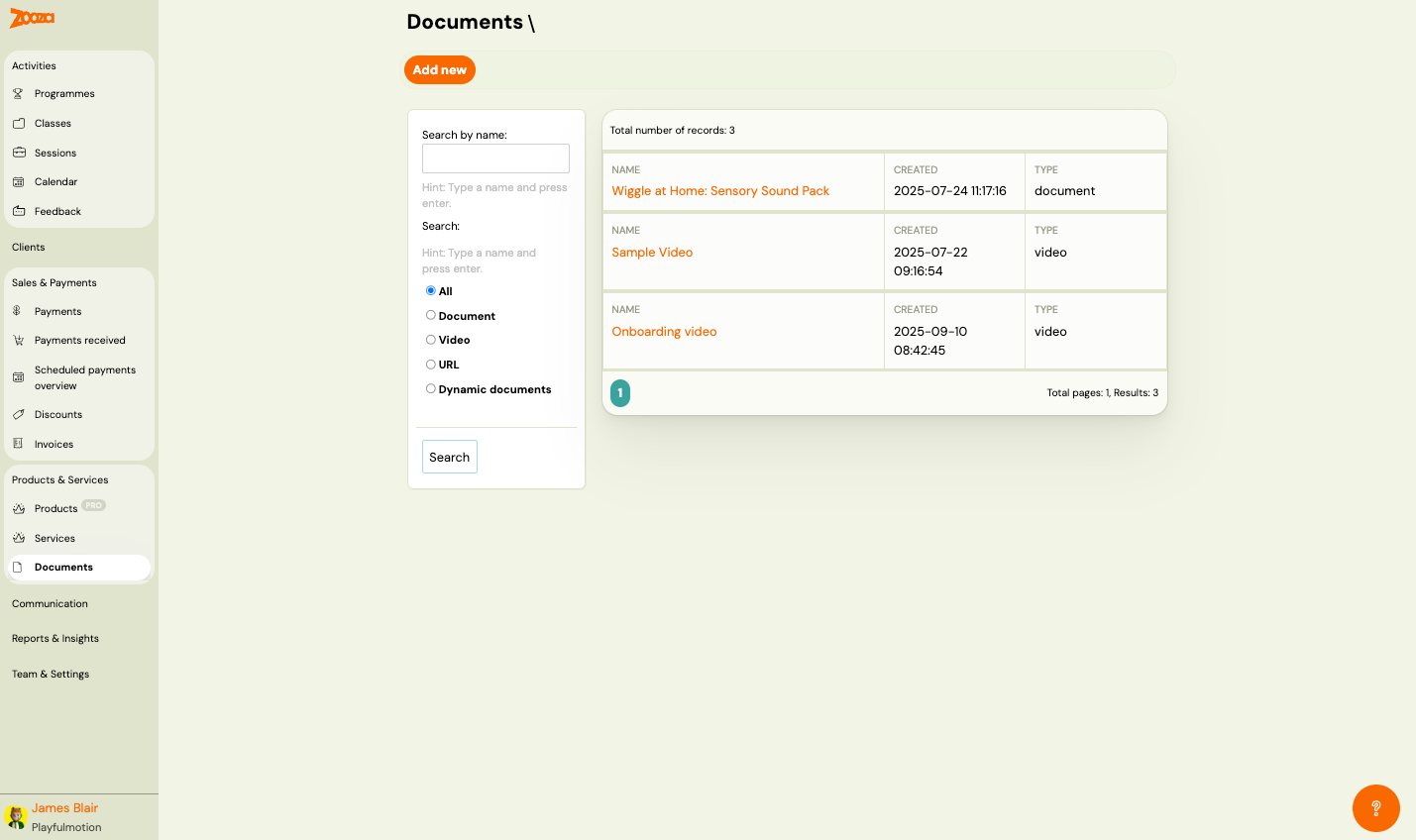
Top Actions
| Button | Description |
|---|---|
| Add new | Create a new document (see New Document). |
Filters
The left sidebar provides filters:
- Search by name — type a name and press Enter.
- Search — additional text search field.
- Type filter (radio buttons):
- All — show all document types.
- Document — uploaded files (PDF, etc.).
- Video — video files.
- URL — external links.
- Dynamic documents — auto-generated documents with merge fields.
Click Search to apply.
Document List
The header shows the total number of records.
Each row displays:
| Column | Description |
|---|---|
Name | Document name (clickable link to detail/edit). |
Created | Creation date and time. |
Type | Document type — "document", "video", etc. |
Pagination shows total pages and results count.
New Document
Navigation: Documents → Add new.
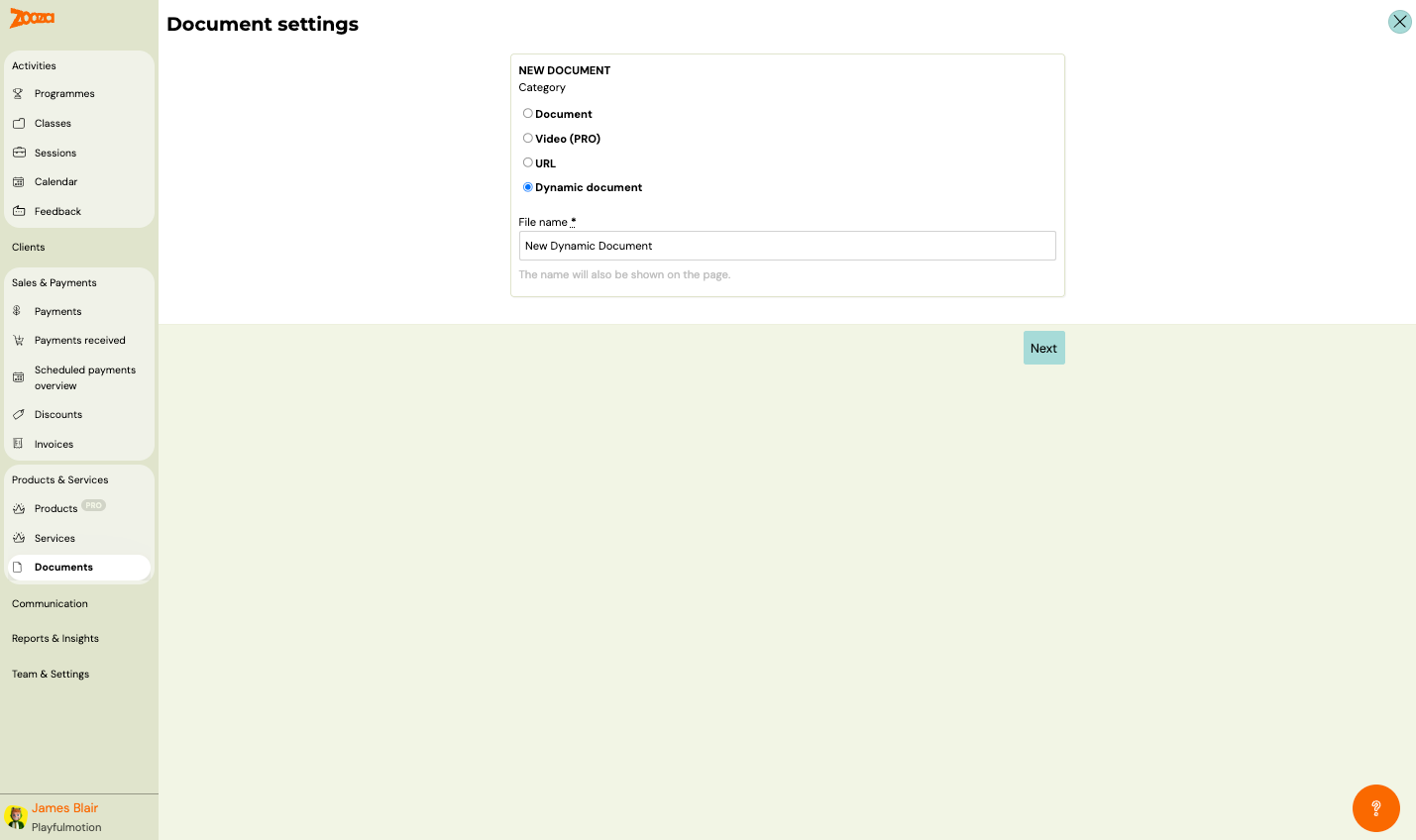
Document Settings
| Field | Description |
|---|---|
Category | Document type to create (radio buttons). |
Available categories:
| Category | Description |
|---|---|
| Document | Upload a file (PDF, image, etc.). |
| Video (PRO) | Upload or embed a video. Requires PRO plan. |
| URL | Link to an external resource. |
| Dynamic document | A template-based document that auto-fills with client data using merge fields. |
| Field | Description |
|---|---|
File name | Display name for the document. The name will also be shown on the page. Required. |
Click Next to proceed to content configuration.
Dynamic Document Editor
Navigation: Documents → Add new → Dynamic document → Next.
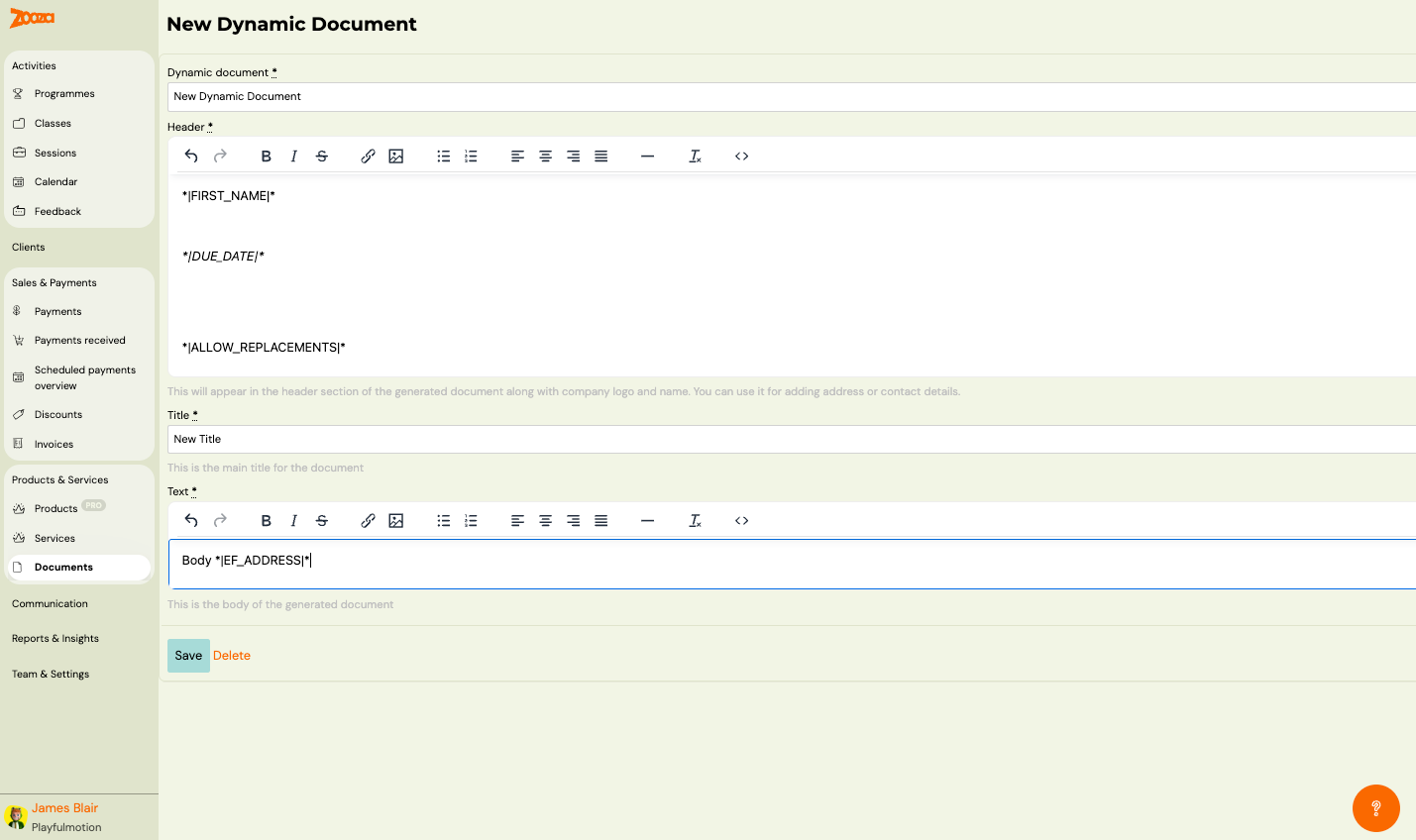
| Field | Description |
|---|---|
Dynamic document | Internal name for the document. Required. |
Header | Rich text editor for the document header. Appears in the header section along with company logo and name. Use it for adding address or contact details. Supports dynamic tags. |
Title | Main title of the document. Required. |
Text | Rich text editor for the document body. Supports dynamic tags. |
Dynamic Tags for Documents
Common tags available in dynamic documents:
| Tag | Description |
|---|---|
*|FIRST_NAME|* | Client's first name. |
*|DUE_DATE|* | Payment due date. |
*|ALLOW_REPLACEMENTS|* | Make-up session information. |
*|EF_ADDRESS|* | Client's address (from extra fields). |
Both the Header and Text fields include a rich text toolbar with: undo/redo, bold, italic, strikethrough, link, image, lists, alignment, horizontal rule, clear formatting, and source code view.
Buttons: Save and Delete.
Related
- Products Reference — attach documents and videos to products.
- Services Reference — manage service add-ons.
- Dynamic Tags Guide — full list of available merge fields.