Fakturoid Integration
Fakturoid is a Czech and Slovak cloud invoicing platform. When connected, Zooza creates invoices directly in your Fakturoid account — no manual export needed.
Market: Czech Republic / Slovakia Setup effort: Connect once (OAuth) — no re-authorization required
Before you start
You need an active Fakturoid account. No API keys to copy — Zooza connects via OAuth (one-click authorization).
Setup
- Go to Settings → Billing and open your Invoice Profile.
- In the Invoice Engine section, select Fakturoid.
- Click Connect to Fakturoid — you will be redirected to Fakturoid to log in and authorize Zooza.
- After authorization you are redirected back to Zooza. The connection is active immediately.
- Click Save.
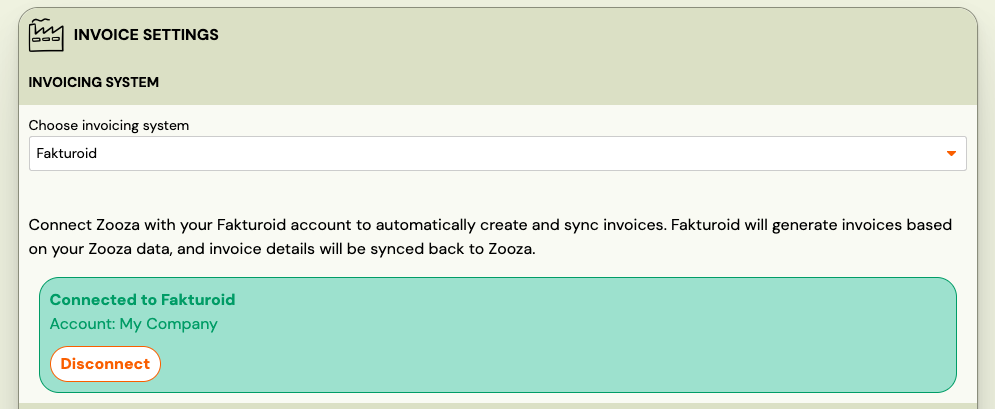
That's it. Unlike Xero, the connection does not expire — you connect once and it stays active.
How invoices work
Once connected:
- Every time a payment is recorded in Zooza, an invoice is created in your Fakturoid account.
- Zooza looks up the customer in Fakturoid by email and name. If the customer doesn't exist yet, Zooza creates them automatically. If their details have changed, Zooza updates them.
- Fakturoid generates the PDF asynchronously — it may take a moment. Zooza retries automatically. In rare cases, if the PDF is not available yet, come back and refresh the invoice.
- Payment sync is supported: payments are recorded against the invoice in Fakturoid, and Fakturoid can optionally send a payment confirmation email to the client.
What works and what doesn't
| Feature | Status |
|---|---|
| Invoice creation | ✓ Automatic |
| Customer management | ✓ Automatic (create and update) |
| PDF generation | ✓ Async — system retries automatically |
| Payment sync | ✓ Partial — payments recorded in Fakturoid |
| Re-authorization | Not needed — connection stays active indefinitely |
| Credit notes | ✗ Not supported — issue in Fakturoid directly |
| Editing invoices after creation | Edit in Fakturoid — changes sync back to Zooza only after a manual refresh |
Known issues
PDF not immediately available — Fakturoid generates PDFs asynchronously. If the PDF link is missing right after invoice creation, wait a moment and click the refresh button on the invoice. The system will re-fetch it from Fakturoid.
Related
- Invoicing overview — how invoice engines work
- Billing and invoicing — Invoice Profiles, auto/manual generation, multi-line
- Invoices list — browsing and downloading invoices