Collecting the reason for cancelling the session
Due to the pandemic situation, we have developed the ability to collect reasons for opting out of classes from clients. Why they are checking out of individual sessions.
They can then choose from the following three options when cancelling:
- Sickness
- Traveling away
- Without giving a reason
The actual collection of cancelling reasons must be activated. Without activation, nothing changes for clients.
Setting up collecting reasons
There are two places in the app where you can record the reasons for opting out:
- On the booking details in the *Attendance *tab
- On the details of the term
You can record the reasons manually. Unless recording the reasons is enabled in the profile, clients will not see the reason logging form.

Note: Clients do not see the actual reason for opting out under any circumstances. Regardless of whether the collection of reasons is activated or not.
On the booking details
In the *Settings *tab, click *Booking Forms, *under Profile.
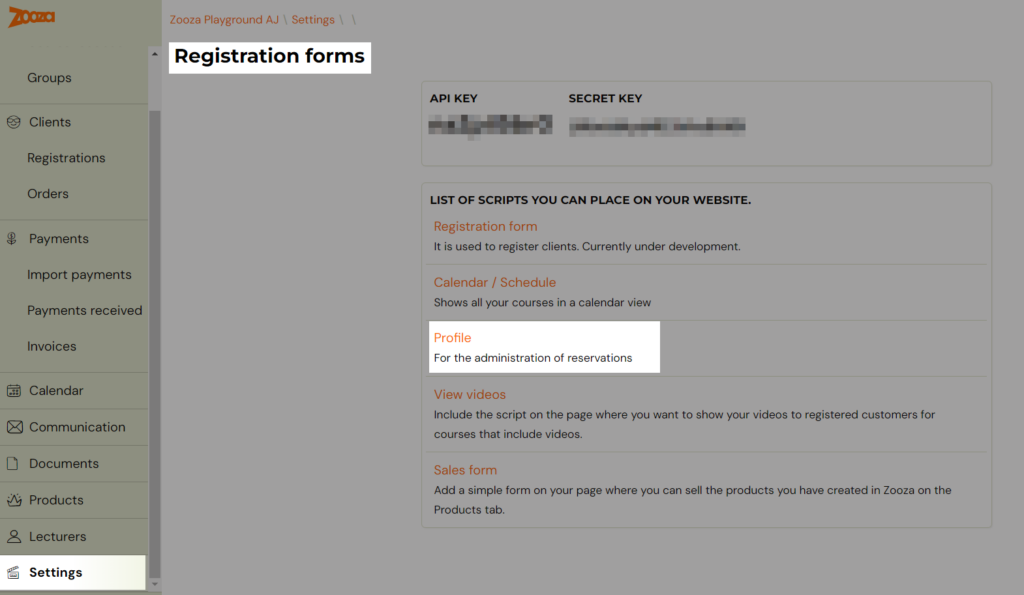
Under Reason for cancelling, select one of the three options:
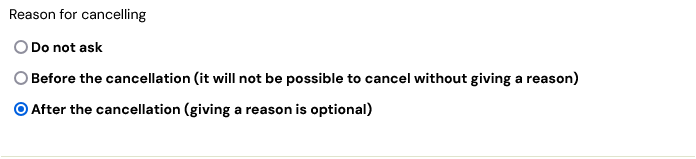
The biggest difference between the other two options is that in the first case, the reason for opting out is mandatory and the client has to enter it in order to opt out. In the second case, the submission of the reason for opting-out is voluntary.
On the session detail
At the time the client chooses to cancel, a form will be displayed prompting the client to enter a reason.
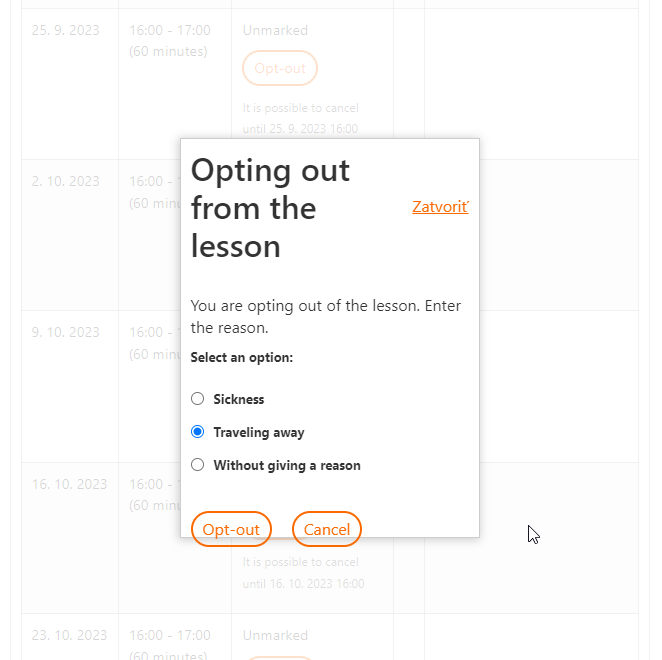
The client chooses one of the options and clicks the* opt-out* button to opt-out of the session.
Collecting the reason for cancelling after the cancellation
The same procedure is repeated when collecting the reason after logging out, except that the client is logged out first and the form is displayed afterwards.