Archive or delete a Programme
You cannot permanently delete a Programme directly in the app. Instead, you archive it — this hides it from your active list while keeping all data, bookings, and history intact.
If you need to fully remove a Programme, you can delete it from the Programme Settings page.
Archive a Programme
Archiving is the standard way to remove a Programme from your active list. Use this when a Programme has ended, is no longer needed, or contains existing bookings you want to keep.
- Go to Programmes.
- Click the name of the Programme you want to archive.
- Go to Programme Settings → Edit.
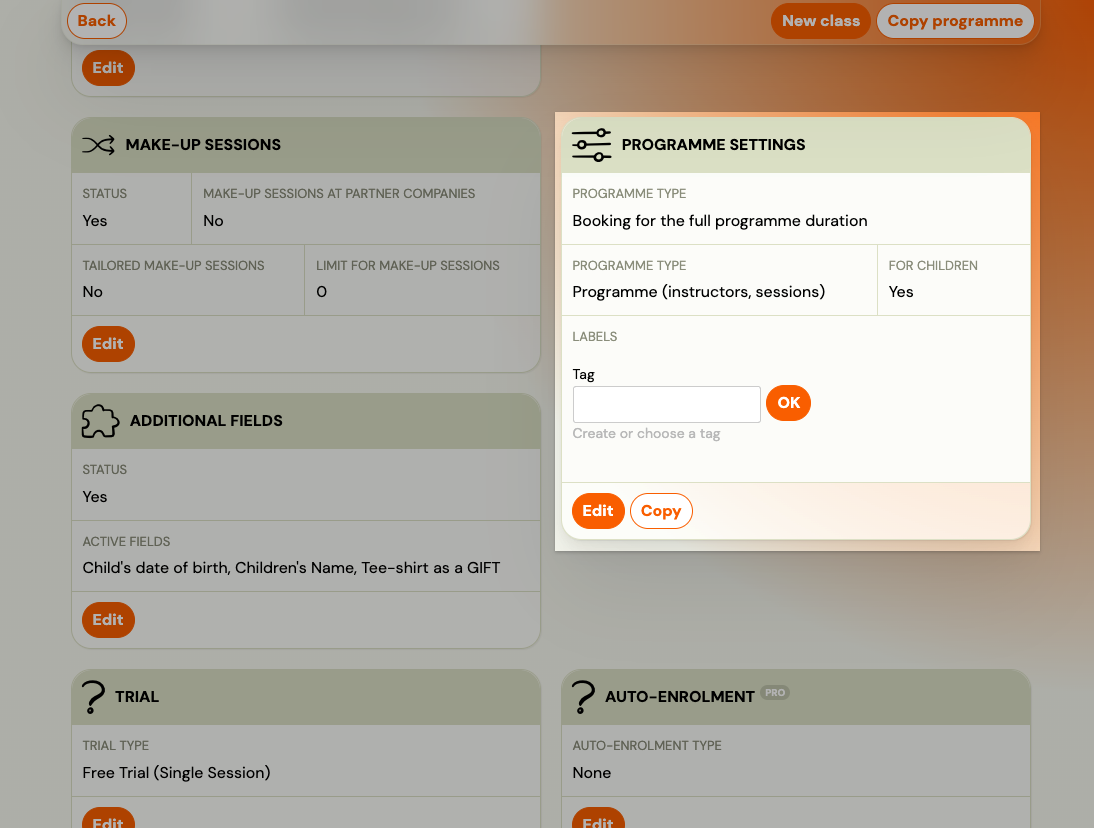
- Tick Archive.
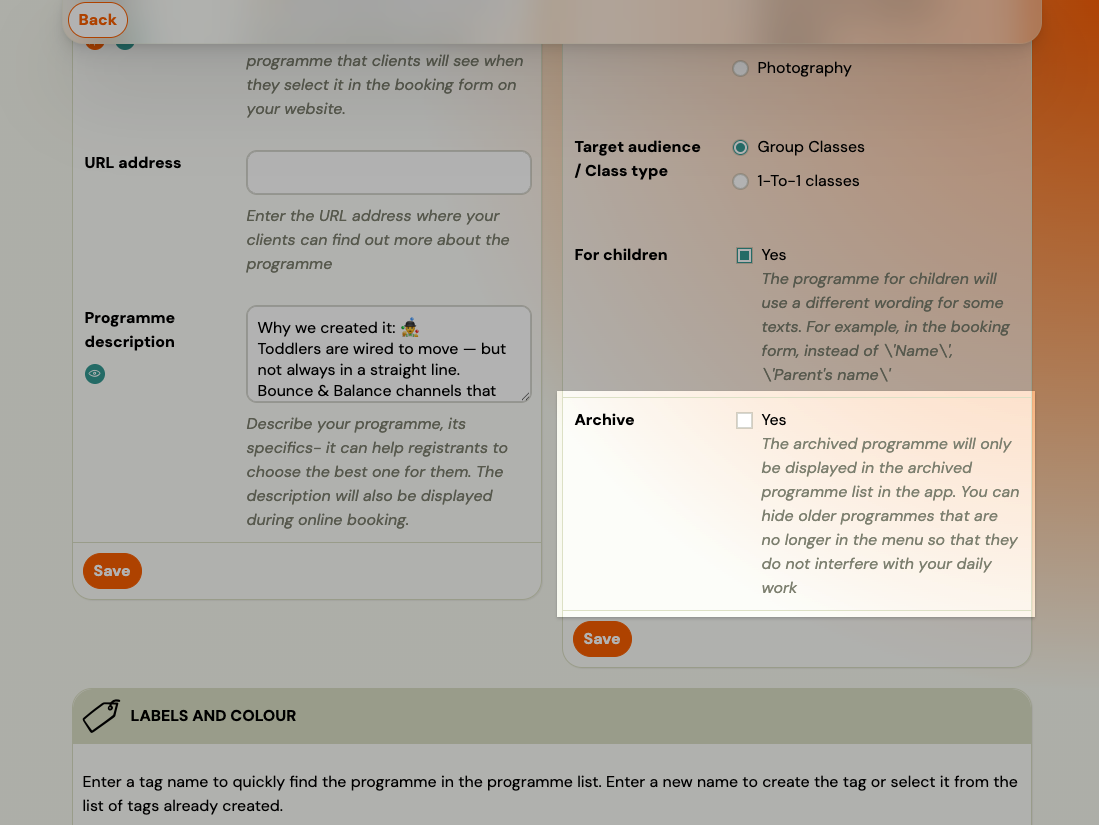
- Click Save.
The Programme disappears from your active list. It remains accessible via the Archived filter in the Programmes list.
To restore: Open the archived Programme, go to Programme Settings → Edit, uncheck Archive, and save.
Archive a Class
To hide a single Class (class) within a Programme without archiving the whole Programme:
- Go to the Programme and open the Class you want to remove.
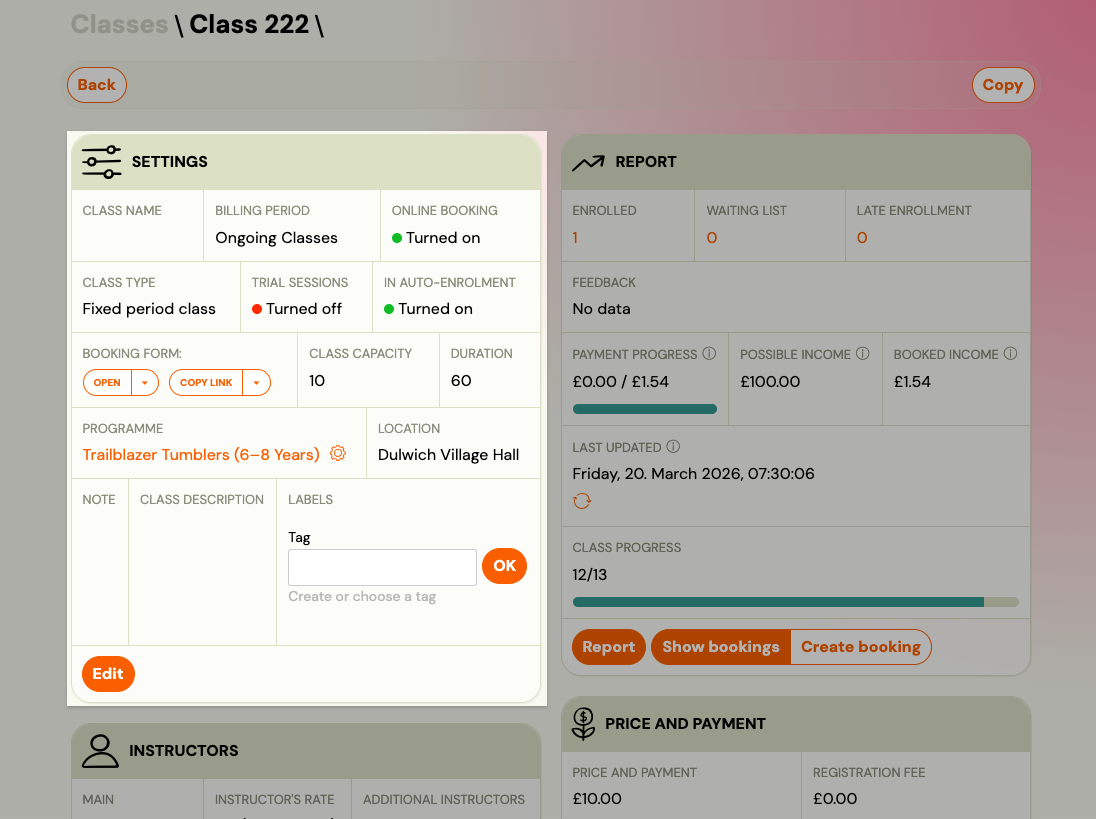
- In the Class settings, tick Archive.
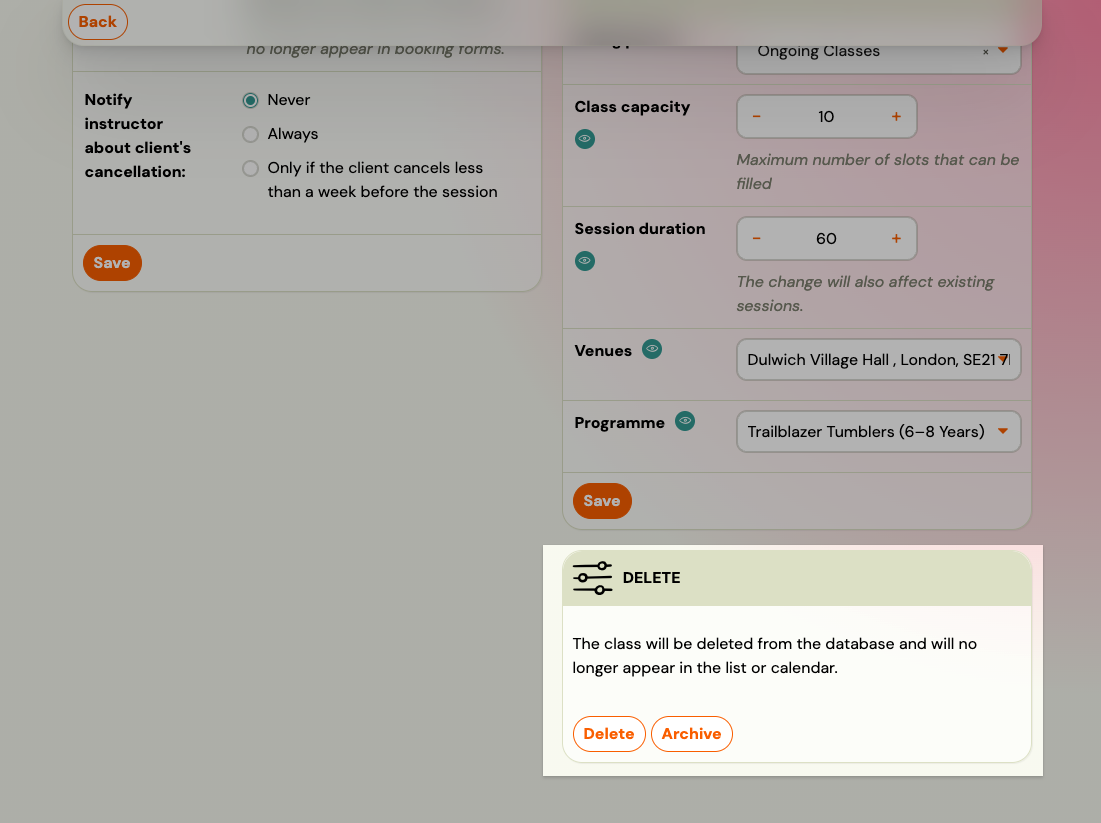
- Save.
Note: You cannot delete a Class that has active bookings. Archive it instead, or transfer the bookings to another Class first.
Delete a Programme
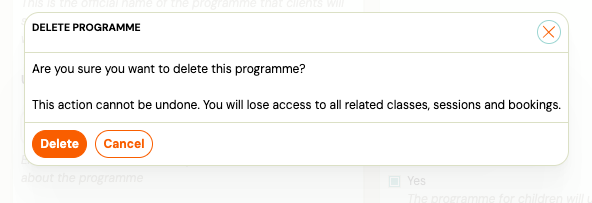
Admins with the edit_course permission can permanently delete a Programme directly from Programme Settings. This action cannot be undone — you will lose access to all related Classes, sessions, and bookings.
Note: Deletion is a soft delete. The Programme and its data are no longer accessible in the app but are kept in Trash for 30 days. Go to Settings → Tools → Trash to restore a deleted Programme within that window. After 30 days the item is permanently removed.
-
Go to Programmes and open the Programme you want to delete.
-
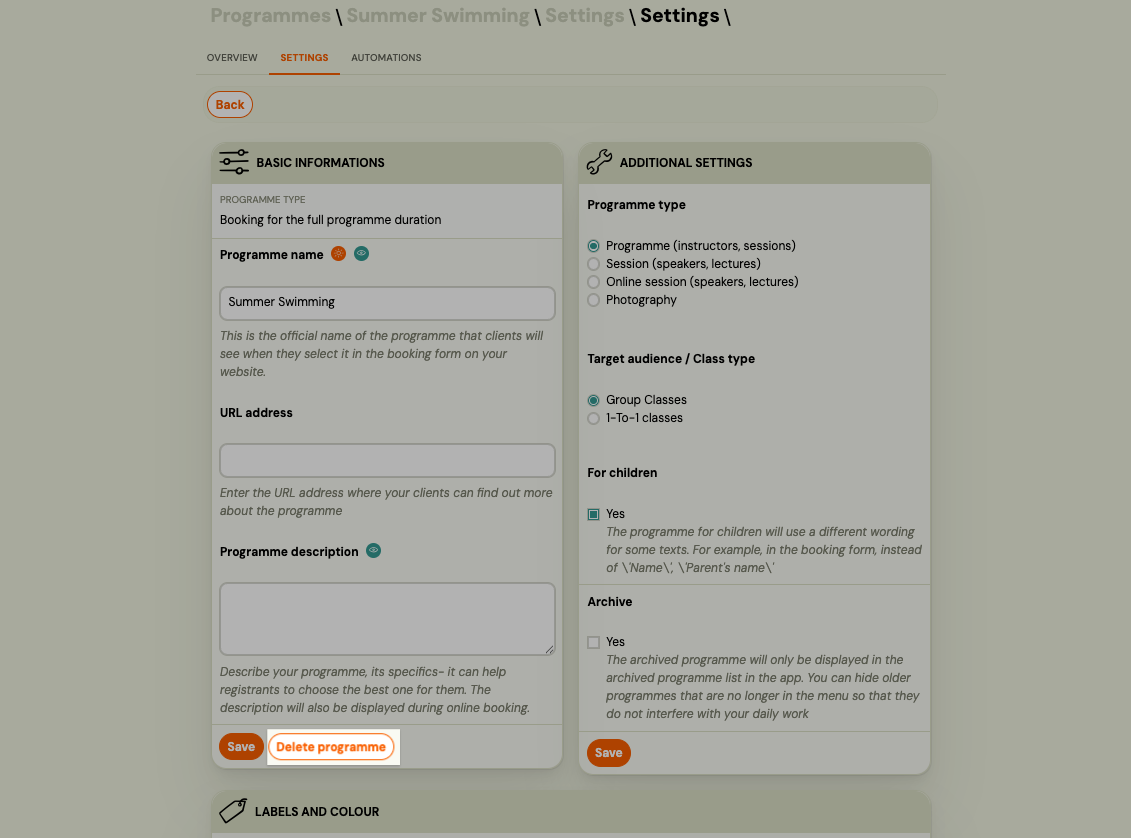
Go to Programme Settings → Edit.
-
Click Delete programme (next to the Save button).
-
Read the warning in the confirmation dialog and click Delete to confirm.
Zooza redirects you to the Programmes list after deletion.
When to use this: Programmes you no longer need and want fully removed from your active view. If the Programme has historical bookings you may want to reference later, consider archiving instead.
Summary
| Goal | Action |
|---|---|
| Hide from active list, keep data | Archive the Programme |
| Remove one class, keep the Programme | Archive the Class |
| Fully remove the Programme | Delete from Programme Settings |
| Restore a hidden Programme | Unarchive from Archived filter |
| Recover an accidentally deleted Programme, Class, or Registration | Settings → Tools → Trash (within 30 days) |
Related
- Recover deleted sessions, classes, and registrations — restore accidentally deleted items within 30 days