Subscription and Billing FAQ
Where do I find my Zooza subscription invoice?
- Click your name/profile in the Zooza app — top right on mobile, bottom left on desktop.
- Go to Subscription.
- Scroll to the bottom and click Manage subscription.
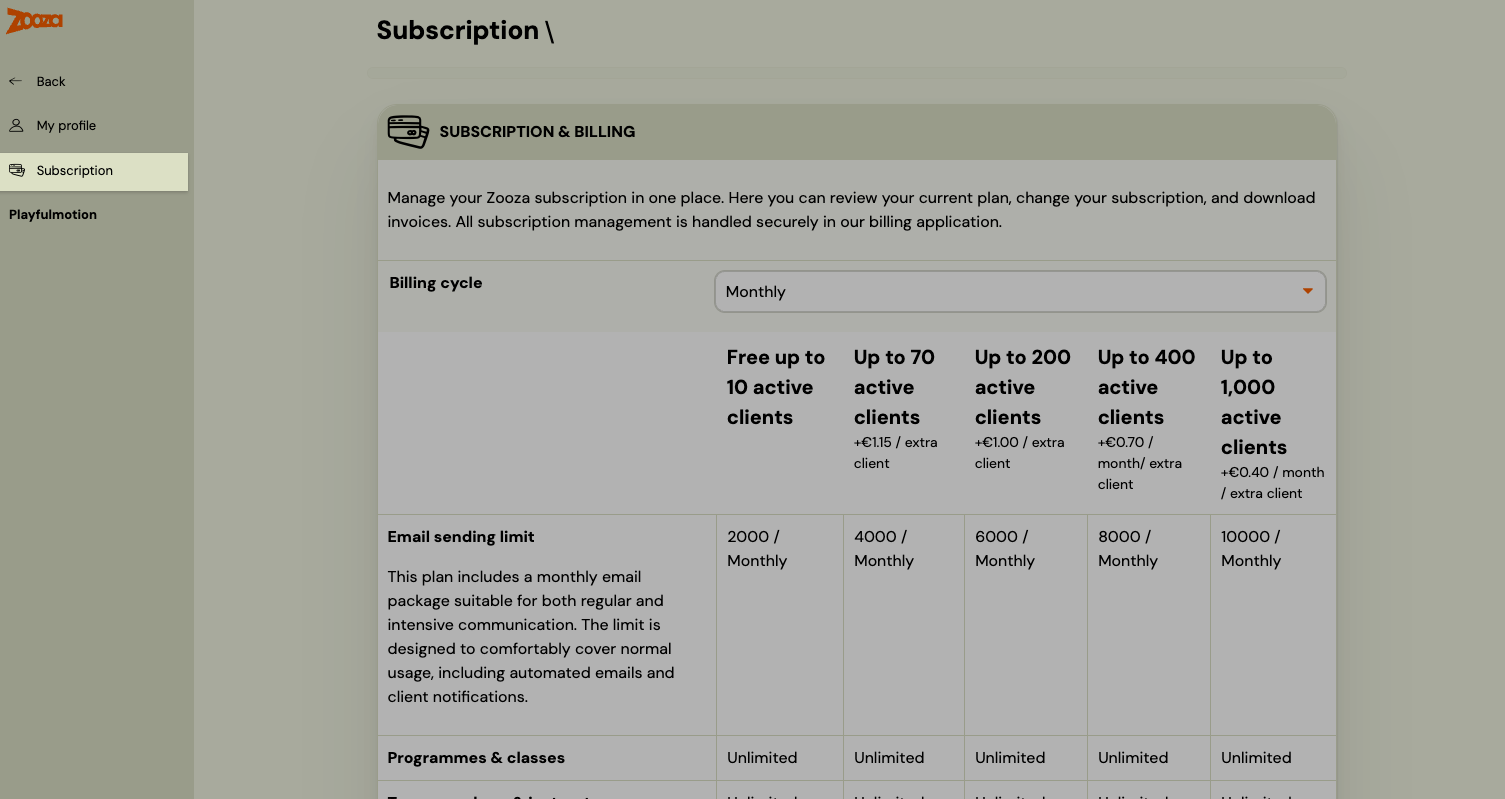
This opens the external billing portal where you can:
- Download past invoices
- Update your billing details (company name, address, VAT number)
- Update your payment method (card)
- Upgrade or downgrade your plan
- Cancel your subscription
Note: Subscription management is handled by an external billing service. If you have any issues accessing it, contact Zooza support.
Where do I change my Zooza plan?
Go to your name → Subscription. The page shows all available plans with pricing (billing cycle: monthly or annual). To change your plan, click Manage subscription at the bottom of the page.
How is Zooza pricing calculated?
Pricing is based on the number of active clients on your account. The tiers (monthly billing) are:
| Plan | Price / month | Active clients | Extra clients | Email limit / month |
|---|---|---|---|---|
| Free | €0 | Up to 10 | — | 2,000 |
| Starter | €39 | Up to 70 | +€1.15 / client | 4,000 |
| Growth | €99 | Up to 200 | +€1.00 / client | 6,000 |
| Business | €189 | Up to 400 | +€0.70 / client | 8,000 |
| Enterprise | €349 | Up to 1,000 | +€0.40 / client | 10,000 |
All plans include: client & family profiles, consent management, email automation, instructor management, payments & billing, and reporting. Annual billing is available at a discounted rate.
Zooza PRO is an optional add-on (available on all plans) that includes WhatsApp integration, Power BI integration, own payment gateway without extra fees, external marketing integrations, custom products, and advanced logs & reports.
Note: Prices are in EUR. Check the Subscription page in your account for current pricing in your currency and up-to-date plan features.
How do I cancel my Zooza subscription?
Go to your name → Subscription → Manage subscription and follow the cancellation steps in the billing portal. If you have trouble, contact Zooza support.