Recording an Administrative Refund for an Online Payment
An administrative refund lets you record a return of funds in Zooza without triggering a gateway refund through Stripe. Use this when:
- The money was returned outside Zooza (bank transfer, cash, offset against another invoice).
- Stripe is no longer connected to your Zooza account but you need the refund in your records.
- You want to record the refund now and process the actual return through Stripe separately.
The refund creates a negative transaction in Zooza and reduces the recorded income on the booking. It does not automatically adjust the client's outstanding debt — that step is separate and depends on your agreement with the client.
How to record an administrative refund
- Go to Clients → Bookings and open the relevant booking.
- Scroll to the Payments section and find the transaction list at the bottom.
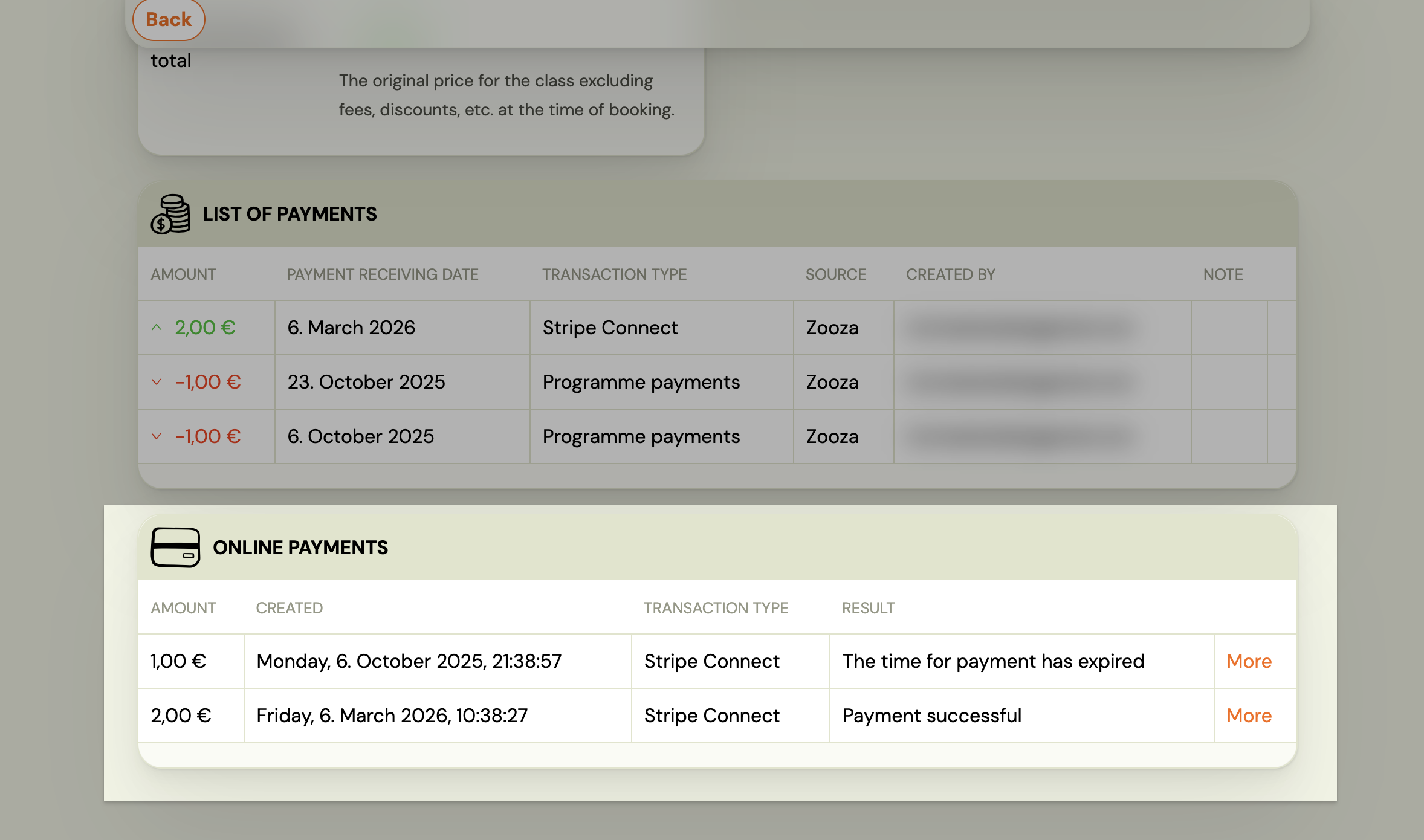
- Click the online payment transaction you want to refund.
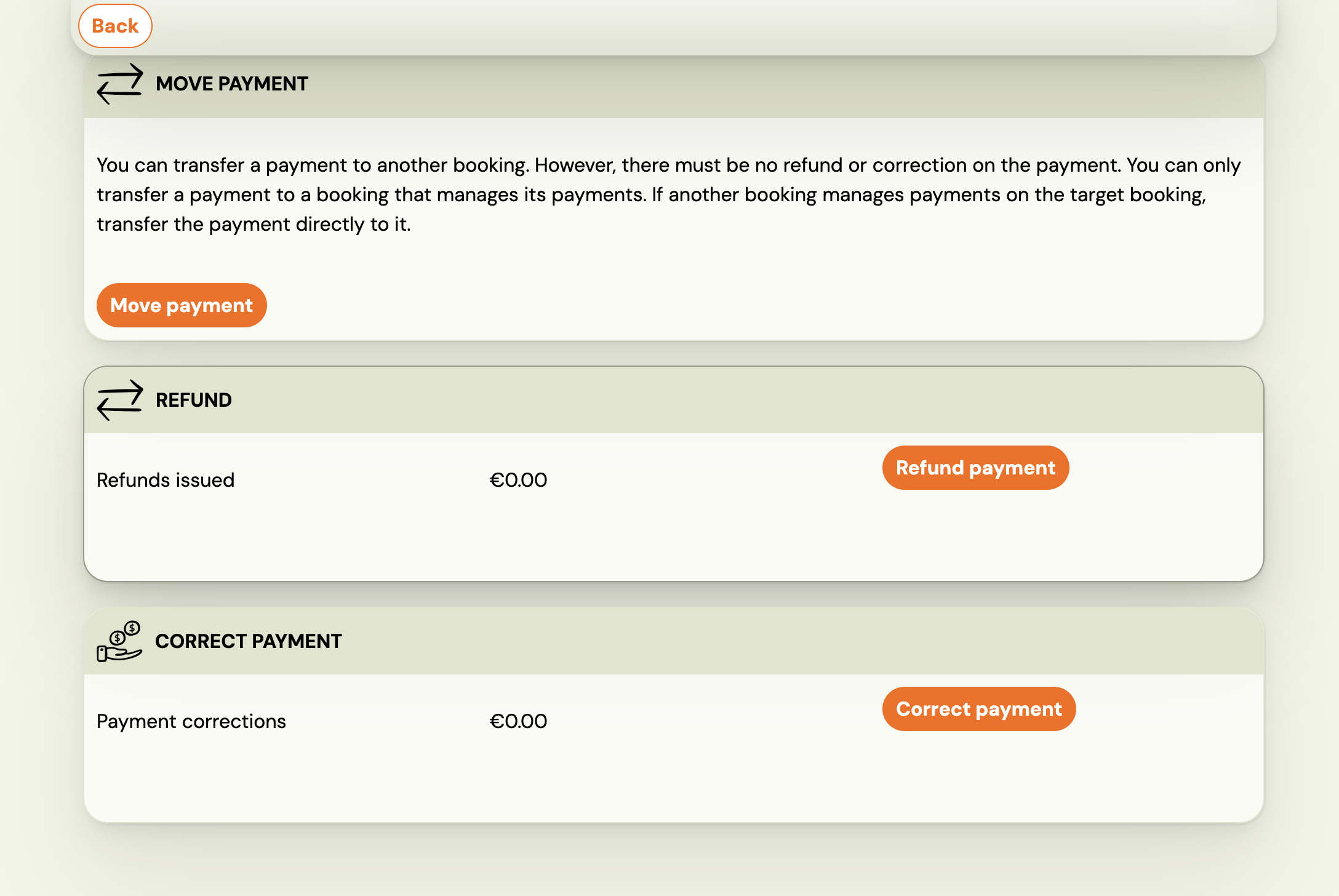
- Click Refund payment.
- Enter the amount — full or partial.
- Choose whether this is an administrative record only:
- If Stripe is connected: You will see an Administrative refund only checkbox. Tick Yes to record the refund in Zooza without sending money through Stripe. Leave it unticked to process a real Stripe refund.
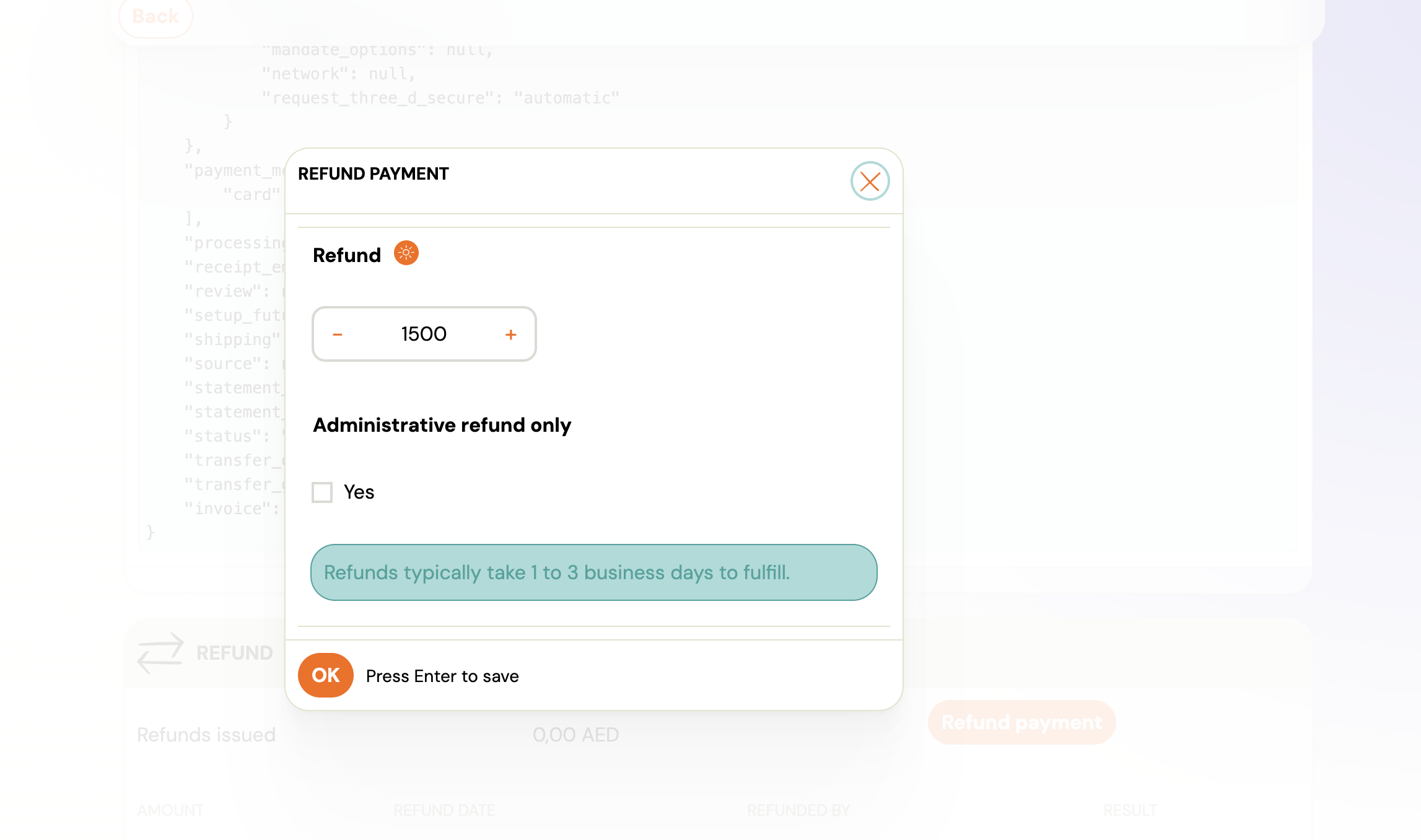
- If Stripe is disconnected: The dialog shows "Gateway refund is currently not available. You can record an administrative refund." Only the administrative record option is available.
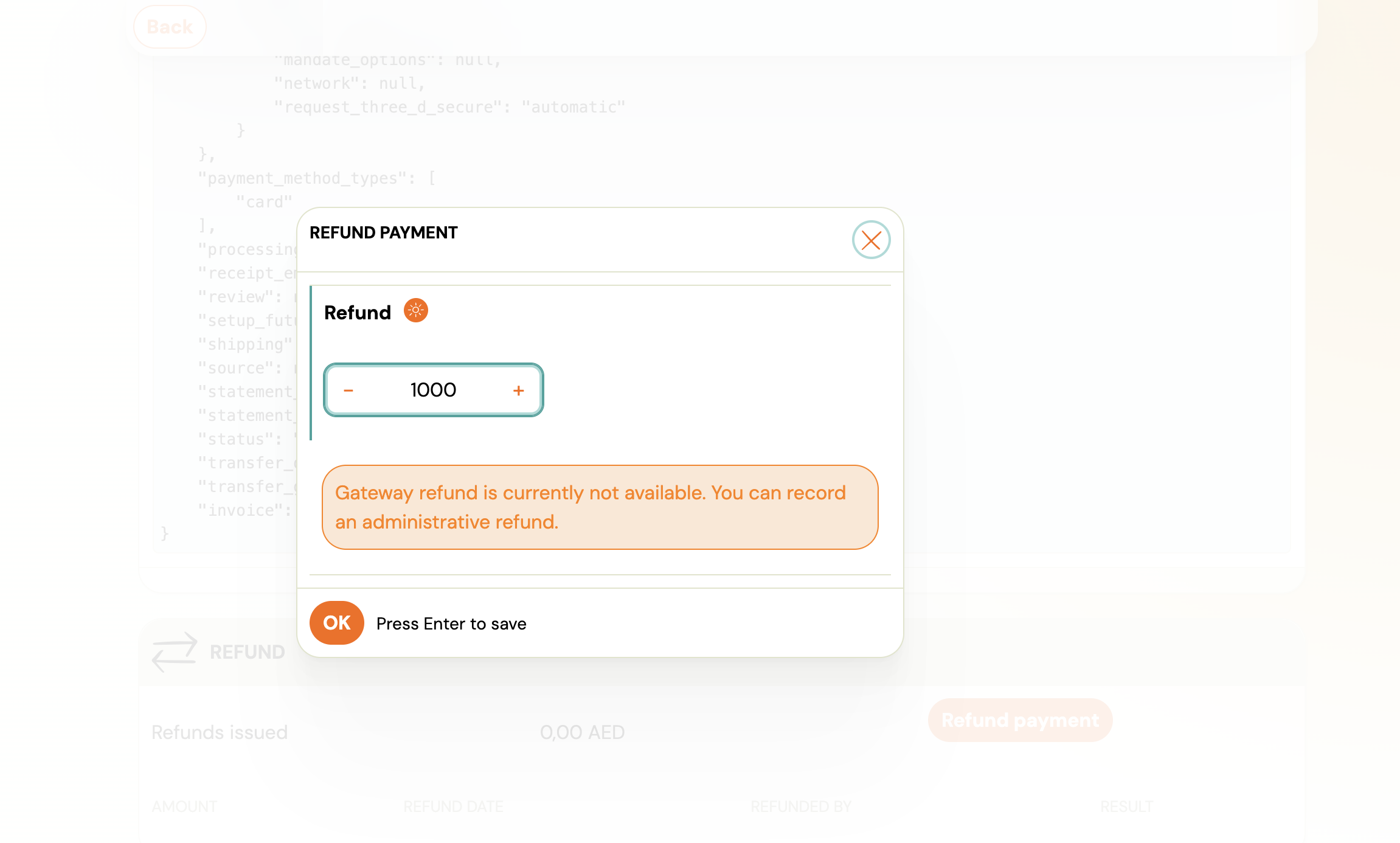
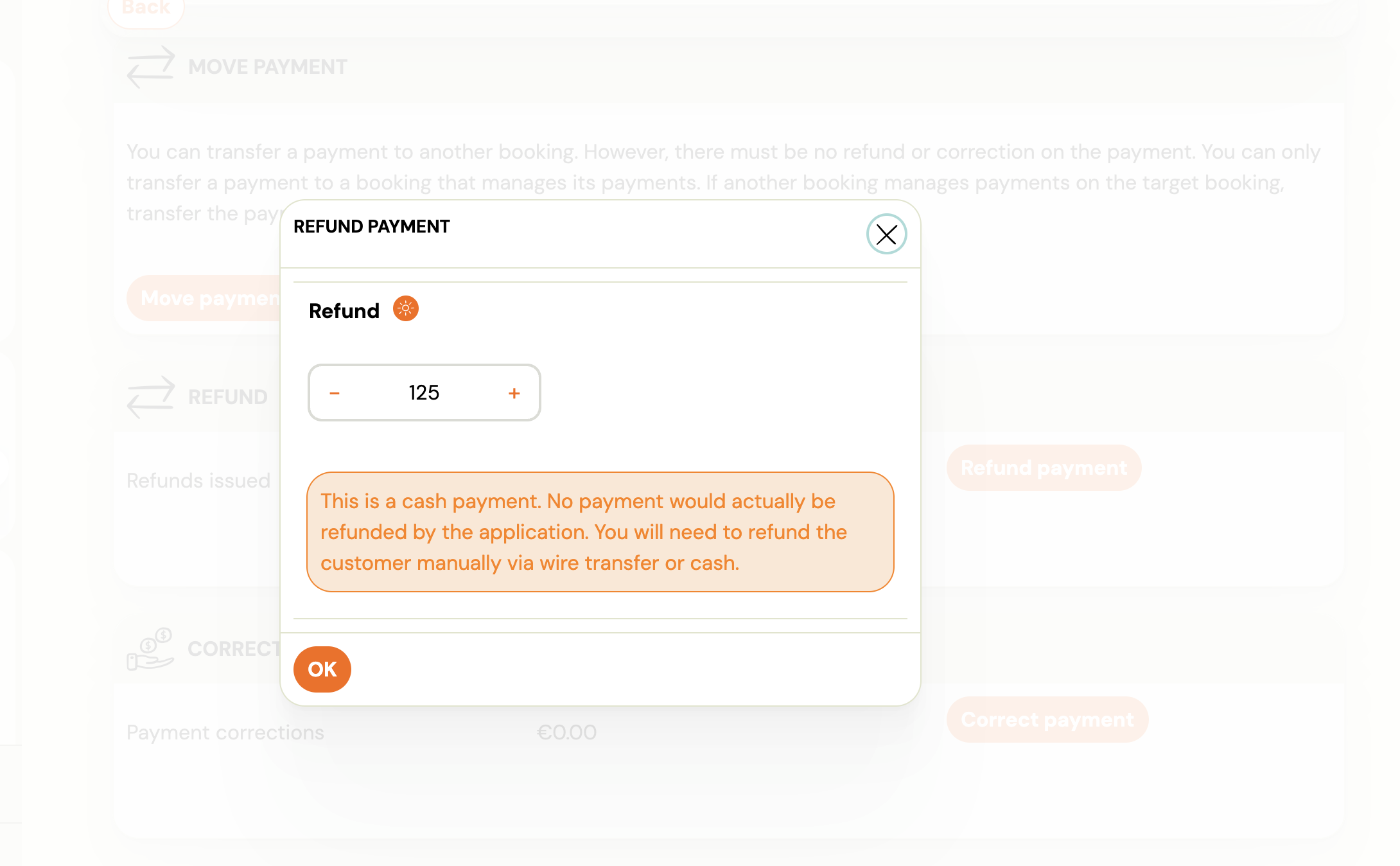 Click OK.
- If Stripe is connected: You will see an Administrative refund only checkbox. Tick Yes to record the refund in Zooza without sending money through Stripe. Leave it unticked to process a real Stripe refund.
The refund is recorded immediately with status ok. A negative transaction appears in the payment list, reducing the total income on the booking.
What to do after recording the refund
Recording the refund does not automatically change what the client owes. Decide what applies to your situation:
| Situation | What to do next |
|---|---|
| Client overpaid and you returned the excess | No further action needed — the refund record is sufficient. |
| Client should now owe less (e.g. cancelled part of programme) | Go to Payments → Edit and reduce the total charge (debt) accordingly. |
| You agreed a discount instead of a cash return | Add a discount or manual credit to the booking instead of reducing the debt. |
How administrative refunds appear in reports
Administrative refunds are recorded as negative payment transactions, the same as gateway refunds. In your payment reports they reduce total income. The source field in the underlying data distinguishes administrative refunds (administrative) from gateway refunds (gateway), so your accountant or Zooza support can identify them if needed.
Related
- Payment Correction vs Refund — when to use a refund versus editing a payment record.
- Administrative Refund FAQ — common questions about this feature.